
Every play is unlocked by a promoter, for one shopper's phone number.
Your manager decides where each game is played. You see it under the game's name:
| It says | The shopper plays | See |
|---|---|---|
| On the game screen | On the screen at your stand | This page |
| On their own device | On their phone, from an SMS link | Send a game to a shopper's phone |
| Tap a box | By tapping a physical Mystery Box | Unlock a Mystery Box |
Before you start: set up a game screen. If none is on, the play waits 10 minutes for one.
Steps
- Open the menu and tap Play games.
- Under 1 · Game, tap a game marked On the game screen. If your stand has more than one screen, choose one under Play on, or leave it on Any screen.
- Under 2 · Shopper's phone, type their number.
- Ask whether they agree to get the game SMS. It carries their prize code if they win. If they agree, tick the box.
Tap Unlock. The button shows the game's name and their number.
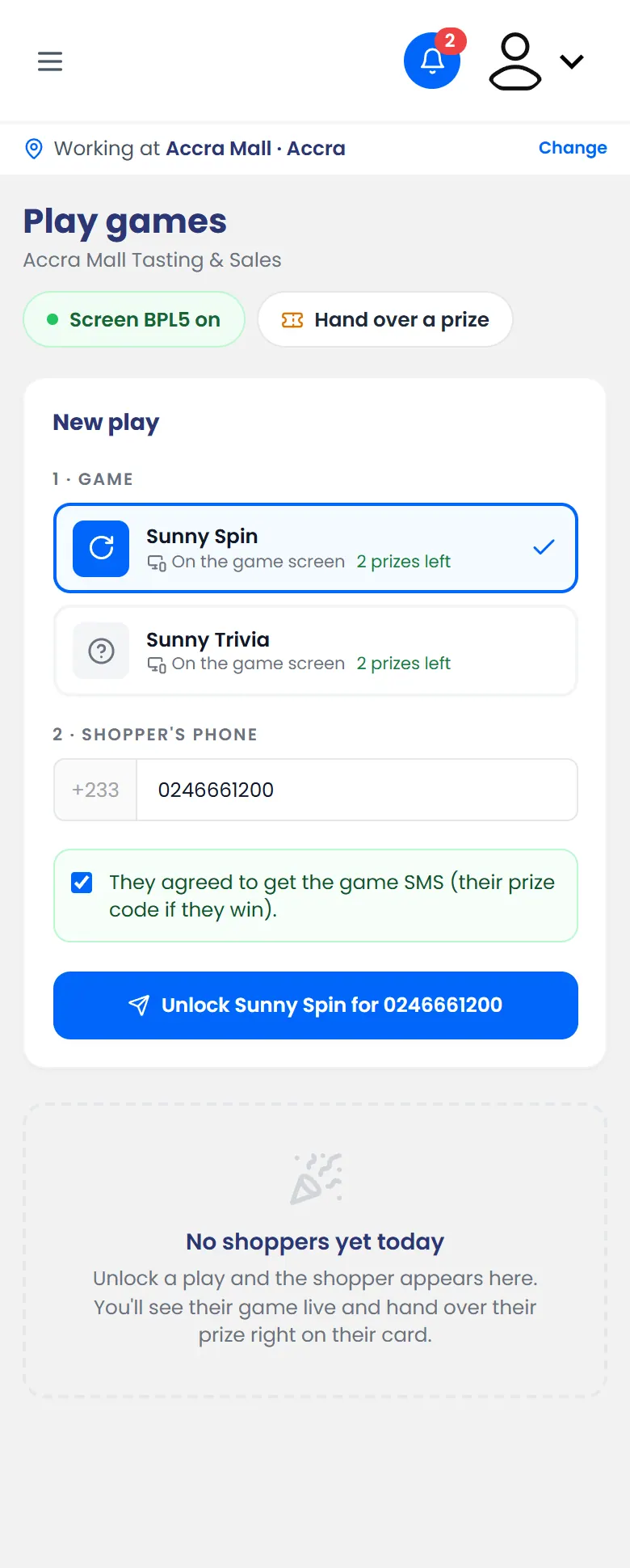
Sunny Spin for 0246661200, who agreed to get the game SMS
What happens next
The shopper's card appears on your phone, and the game screen shows Ready to play for them. Their number is partly hidden on the screen.
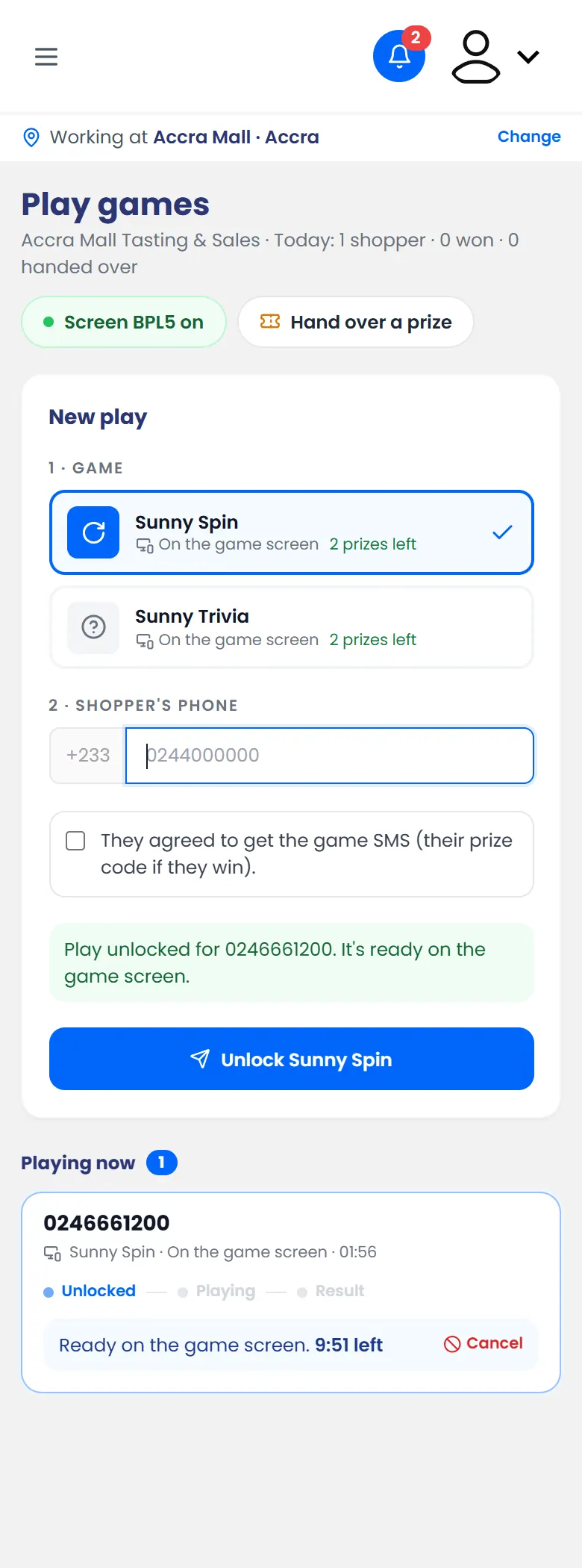
You can follow the game live on their card:
- A winner moves to Winners to hand over. See Hand over a prize.
- No prize: the shopper moves to Done today.
- Not played in time: unlock a new play if they still want one.
