
Sometimes a Mobile Money payment takes a while. Save the sale as waiting for payment so the shopper doesn't have to wait. It won't count until you mark it Paid.
Steps
- Record the sale as usual. See Record a sale.
- Choose Mobile Money or Card as the Payment Method.
- Type the Transaction ID from the payment prompt or slip.
Under Payment, tap Waiting for payment.
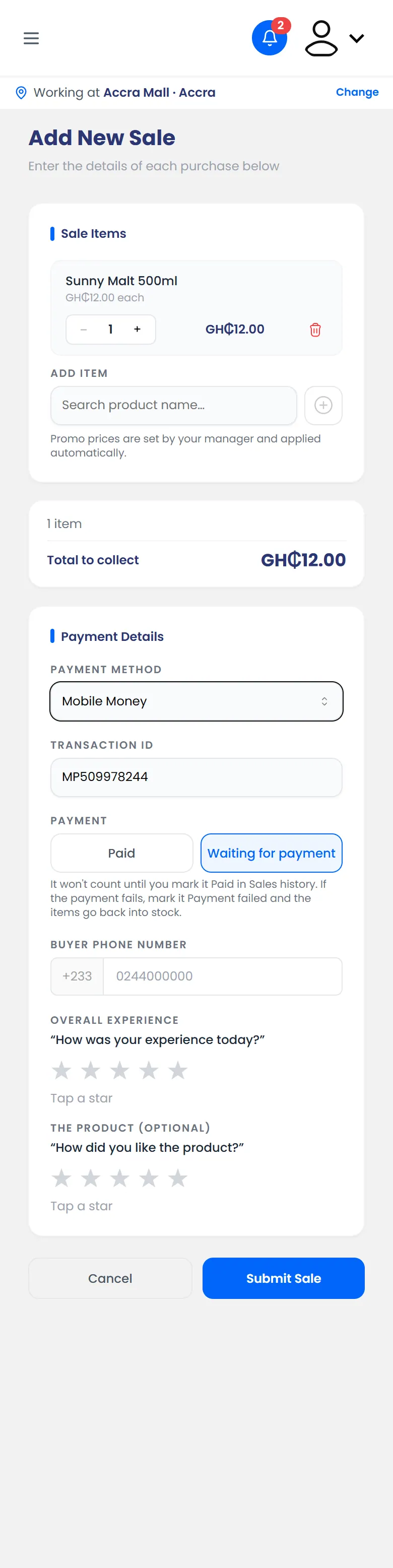
Payment set to Waiting for payment - Tap Submit Sale.
What happens next
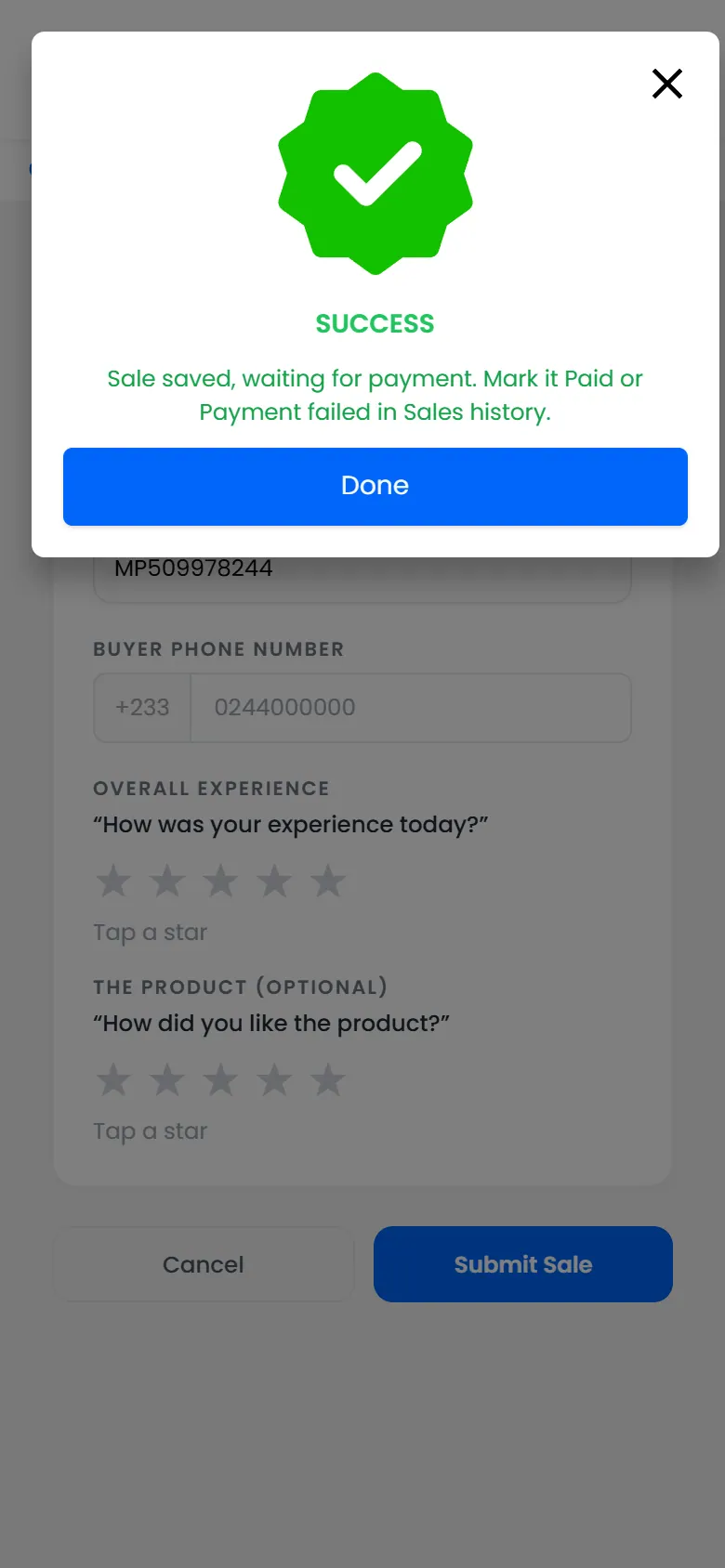
You see Sale saved, waiting for payment. The sale shows on the Dashboard under Today, but isn't added to the money collected.
When the money comes through, mark the sale paid. Do it before you hand over at the end of the day.