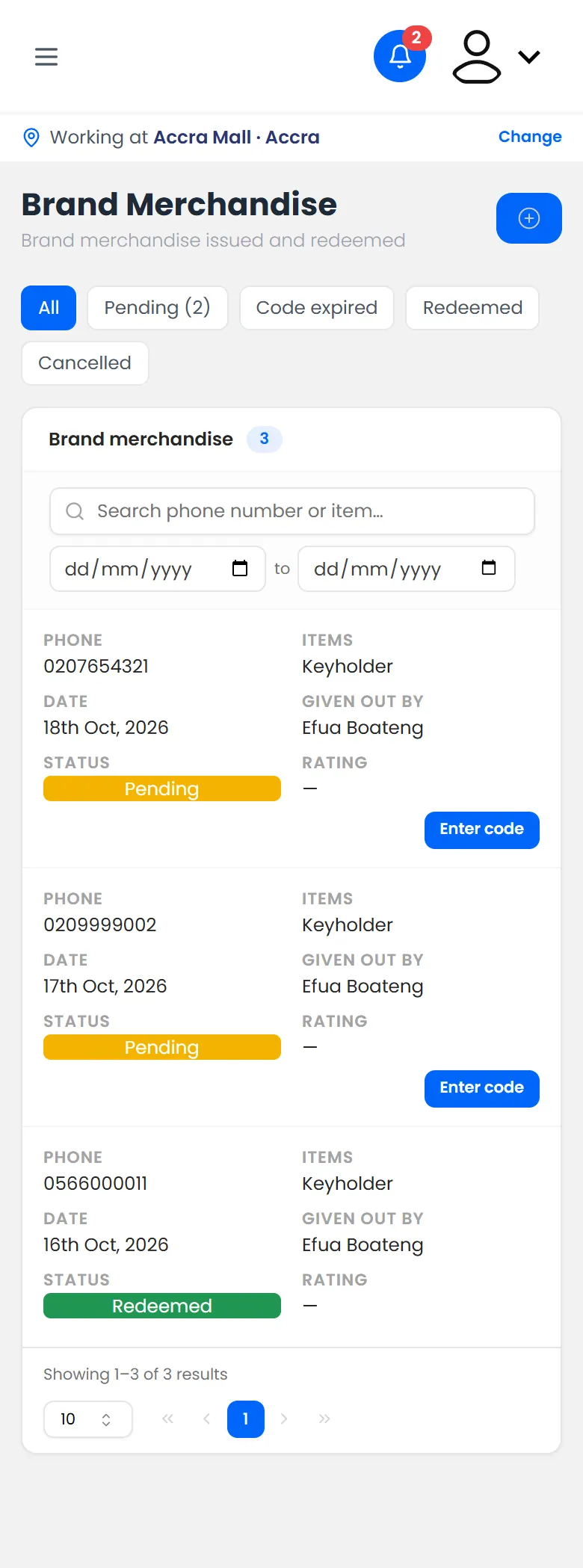
Brand merchandise works like a product sample. The shopper gets a code by SMS, and you type it in to hand the item over.
Steps
- On the Dashboard, tap Give brand merchandise.
- Type the shopper's Phone Number.
- Search for the item, tap it, and set how many with − and +.
Tap Send code.
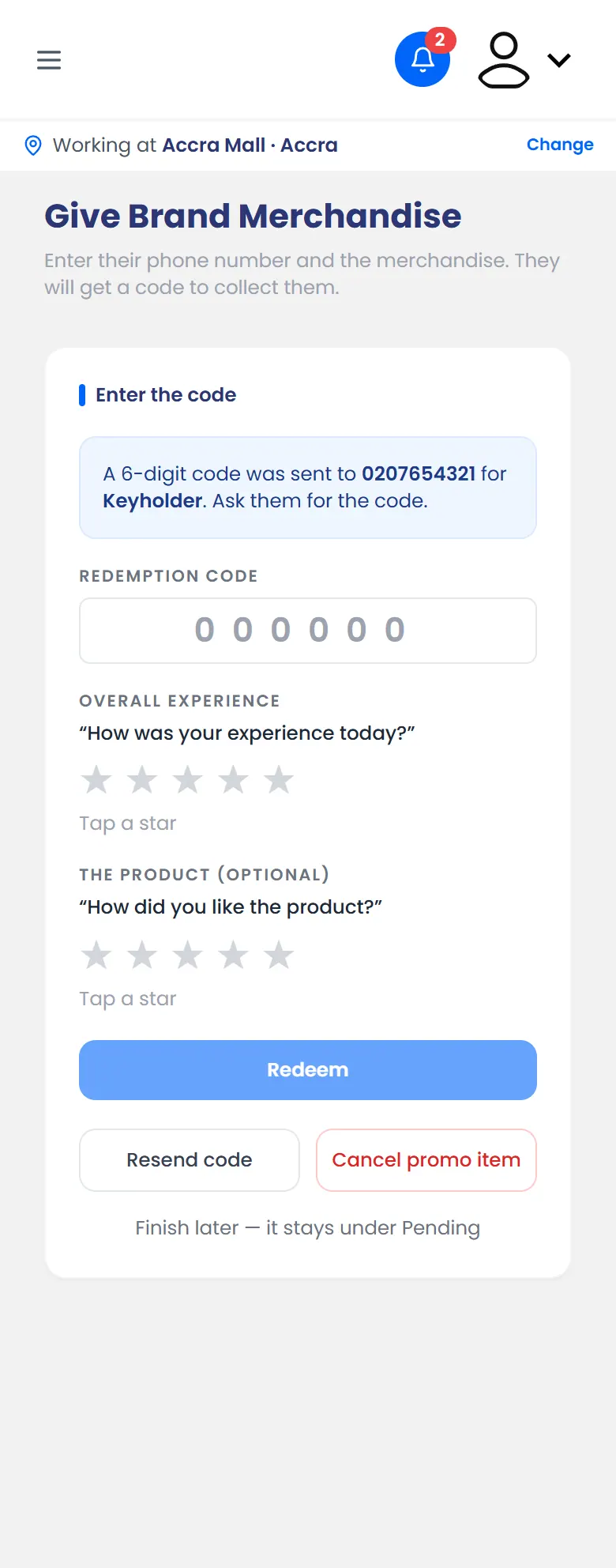
Brand merchandise: the code has been sent - Type the code from the shopper's SMS.
- Ask them to tap a star for their Overall experience.
- Tap Redeem and hand over the item.
What happens next
The item is marked as handed over, and the stock goes down. To see everything you've given, open Brand Merchandise from the menu.