
Every winner gets a prize code, by SMS and on screen. You check the code before you hand over the prize. That way each prize goes to the right person, once.
On the winner's card
Use this when the winner's card is on your phone, under Winners to hand over.
Ask the winner for their code, and type it in:
- under Code in their SMS: the 6-digit code from their SMS;
- or under Code on their screen: the 8-character code on their phone, if they played on it.
- Ask them to tap a star for how their experience was.
Tap Hand over, and give them the prize.
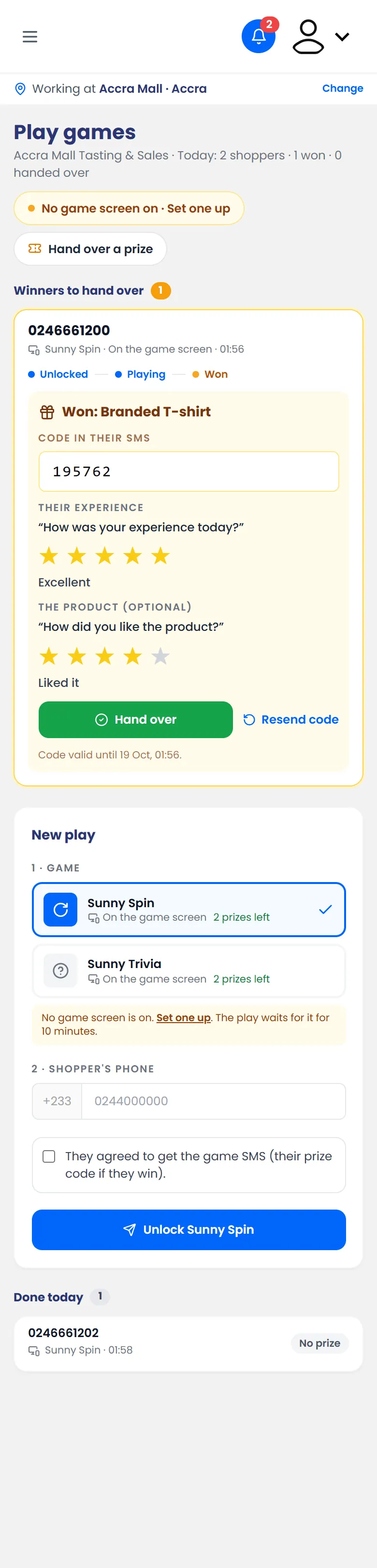
The code from the winner's SMS typed in, with their rating
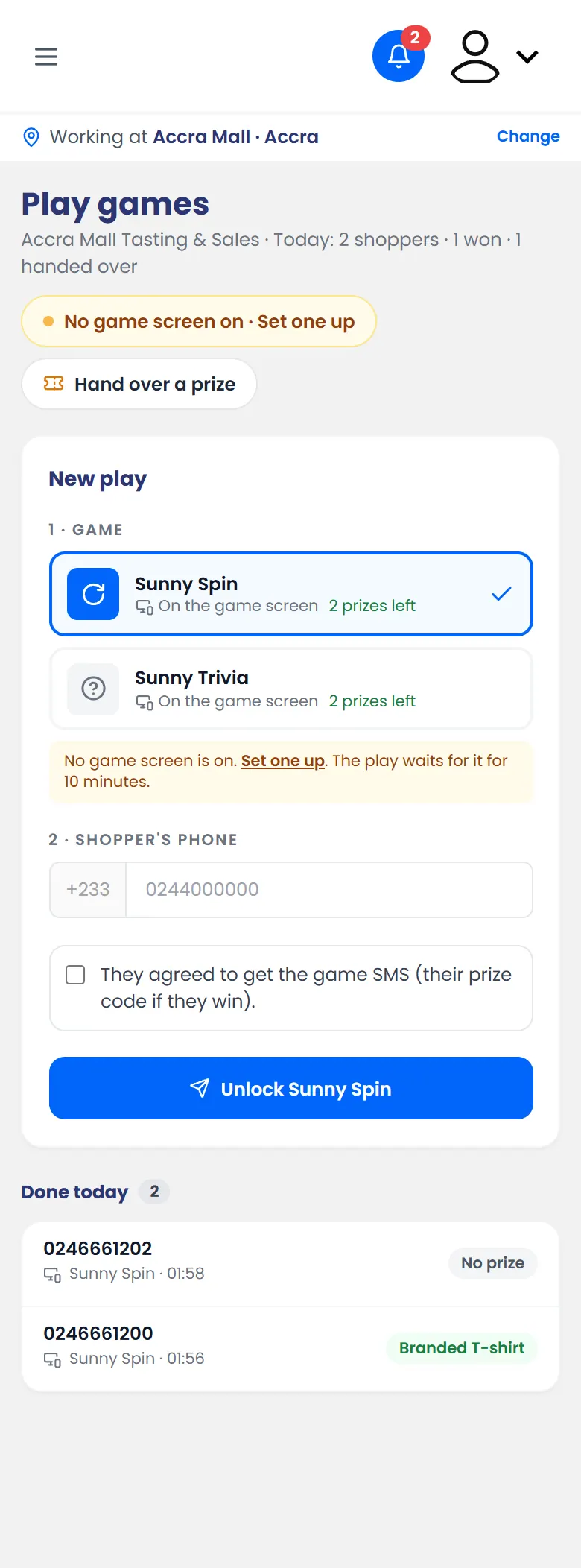
The shopper moves to Done today, with the prize they collected.
For a winner who isn't on your card list
For example, another promoter unlocked their game, or they won on their own phone.
- On Play games, tap Hand over a prize.
Tap Scan the QR code and point your camera at the QR on their screen. Or type the code under Or type the code and tap Find the prize.
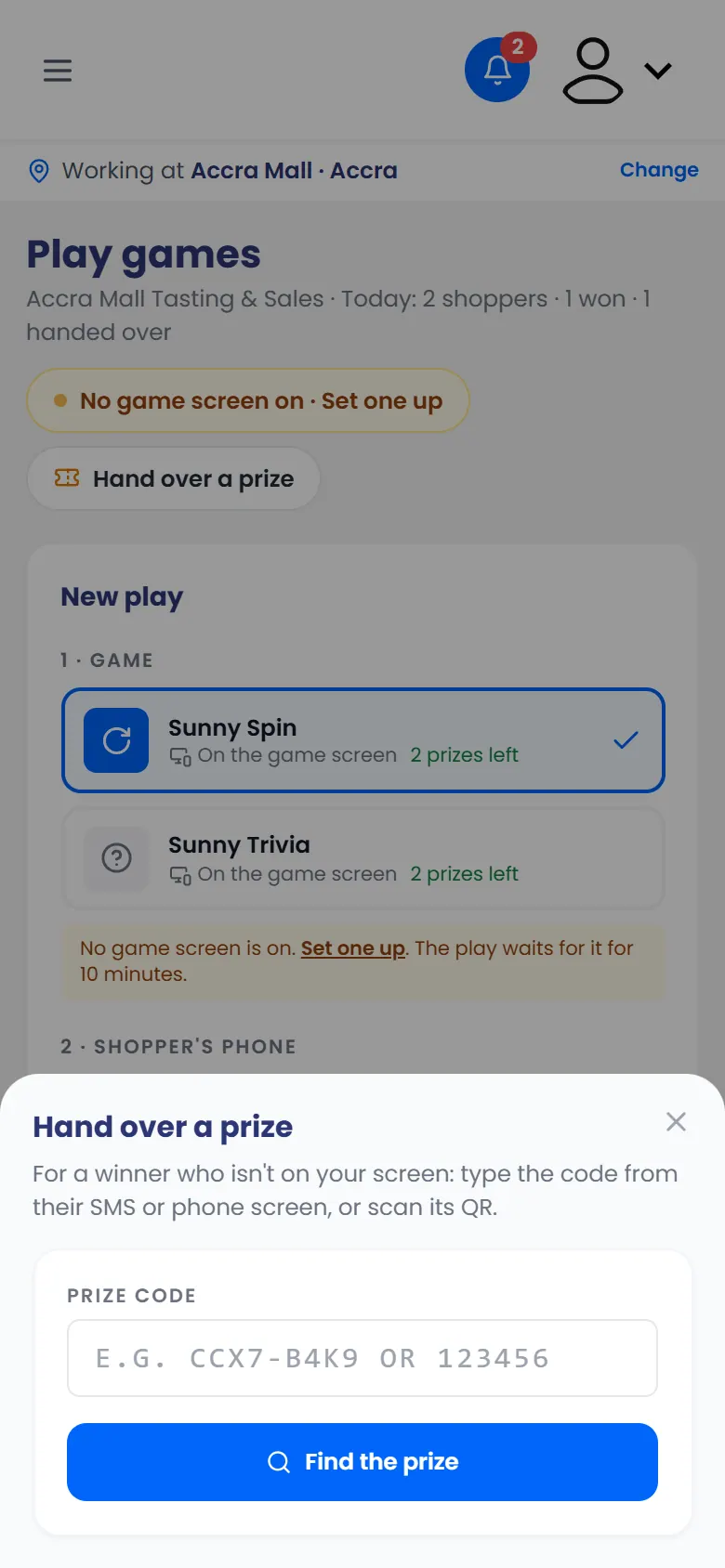
Hand over a prize: type the code, or scan its QR - If the code matches more than one winner, tap the winner's phone number.
- Check that the prize shown under Valid is right, ask for their rating, and tap Hand over.
See every prize won
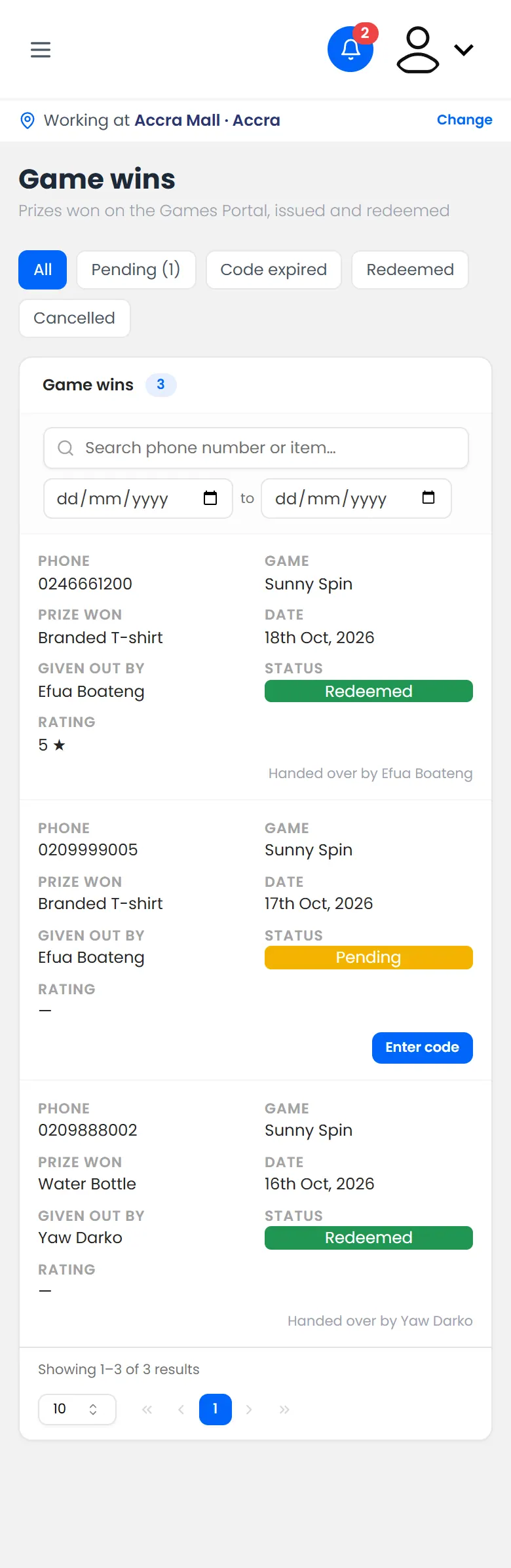
Open Game wins from the menu. It lists every prize won in the activation, and whether it's been handed over.
If it doesn't work
- "That code wasn't found"
- The winner lost their SMS: tap Resend code on their card.
- The camera won't open: allow camera access in your browser, or type the code instead.