
Register your agency or brand in three short steps. You start with a 14-day free trial, and you don't pay anything until you choose a plan.
Before you start: have your phone nearby. We text it a code. Each phone number can start one free trial.
Step 1: your organisation
- Go to admin.momentsanalytics.com and click Register your agency or brand. Or click Get started on momentsanalytics.com.
Under Registering as, choose:
- Agency if you run activations for several brands;
- Brand if you run your own.
- Fill in your organisation's name, Email, and location (City, Region, Country). The phone and GPS address are optional.
Click Continue.
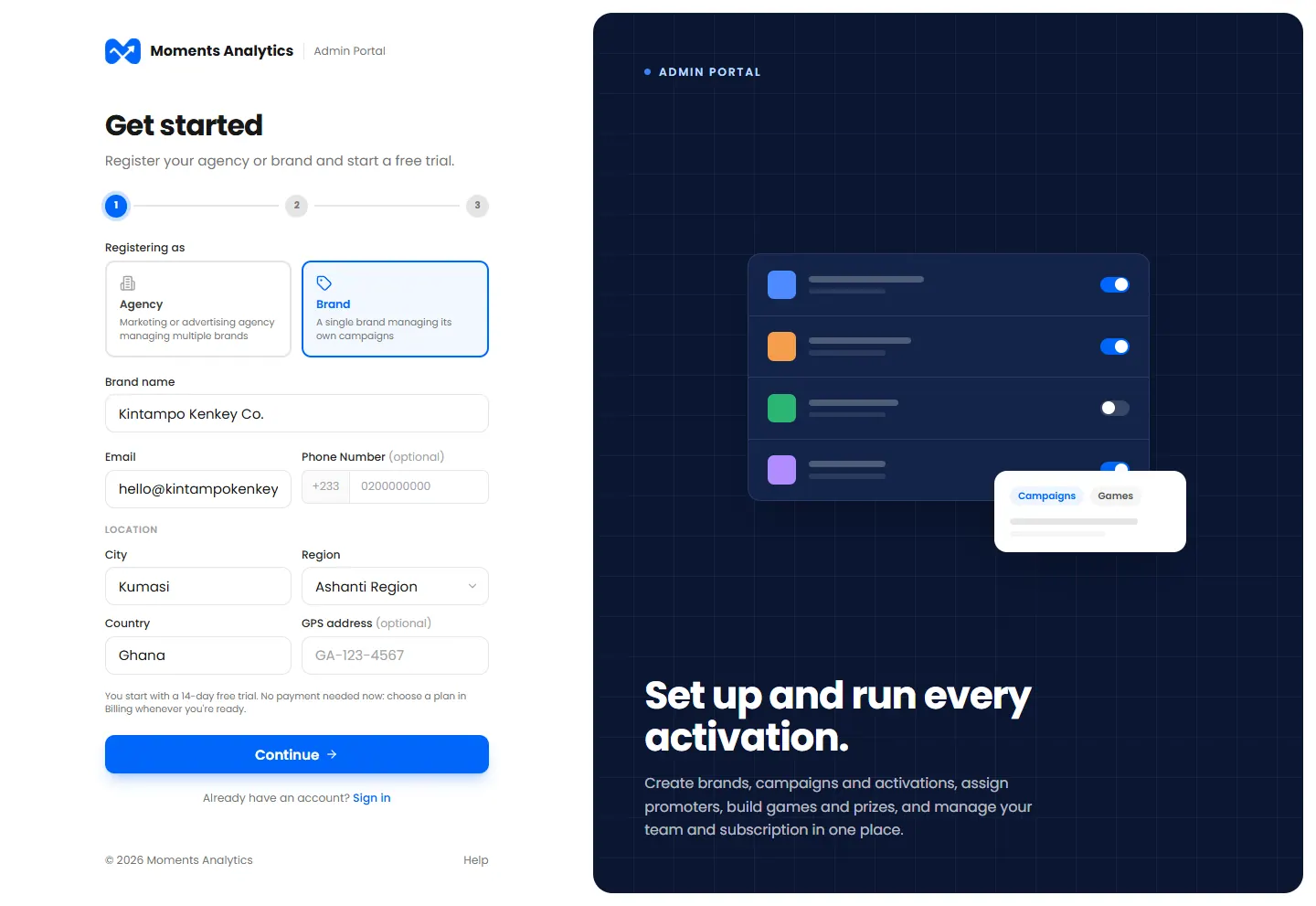
Step 1: your organisation
Step 2: you, the first admin
- Fill in your name, Email address and Your phone number.
- Choose a Password, and type it again under Confirm password. It needs at least 8 characters, with a letter and a number.
Tick that you agree to the Terms of Service and Privacy Policy, and click Continue.
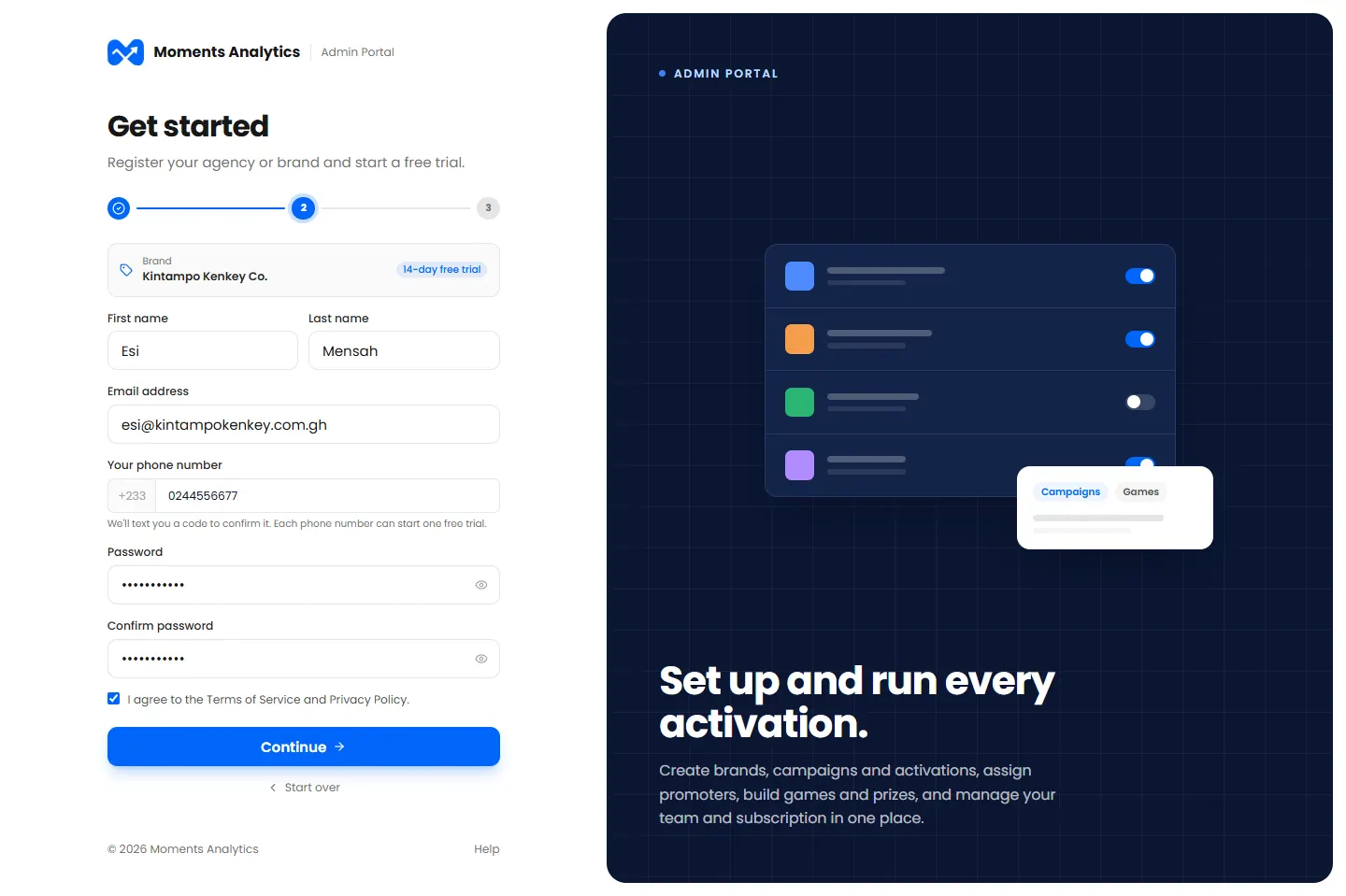
Step 2: you, the first admin
Step 3: confirm your email and phone
- Type the 6-digit Code from the email.
- Type the 6-digit Code from the SMS.
Click Complete registration.
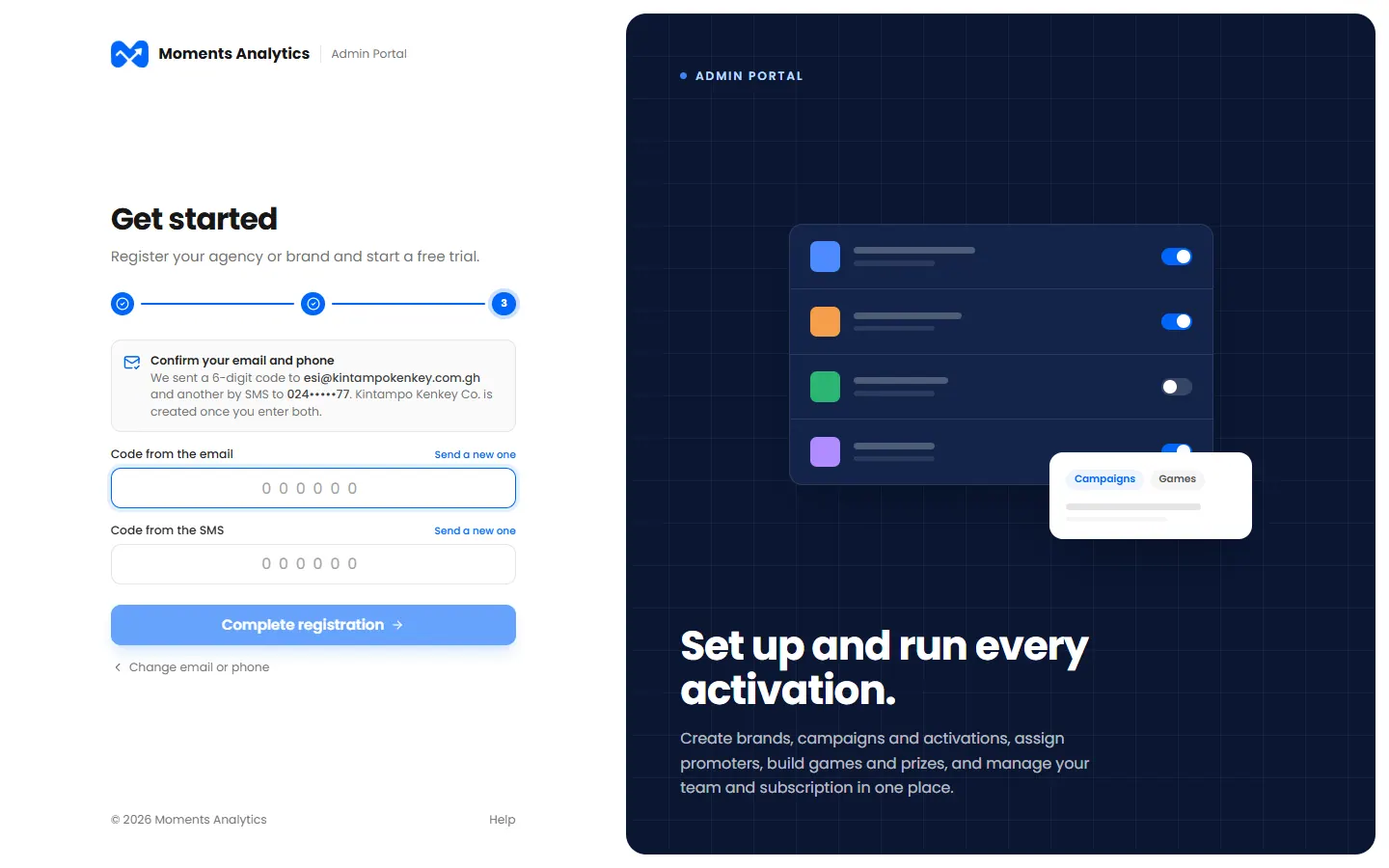
Step 3: the codes sent by email and by SMS
No code? Click Send a new one next to it. Check your spam folder for the email.
What happens next
You're signed in, and your dashboard opens on a 14-day free trial.
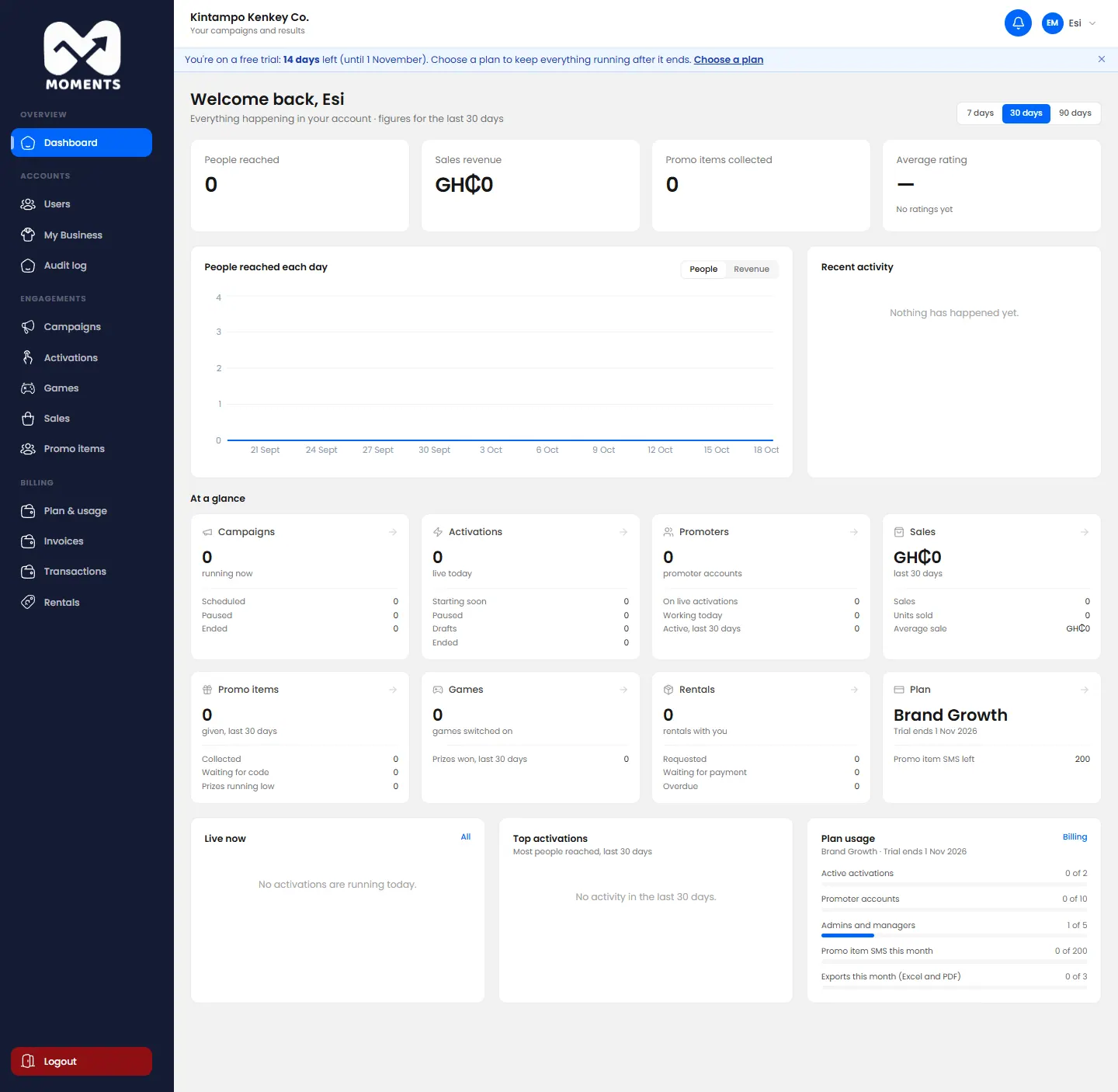
Next, see Get your agency started.