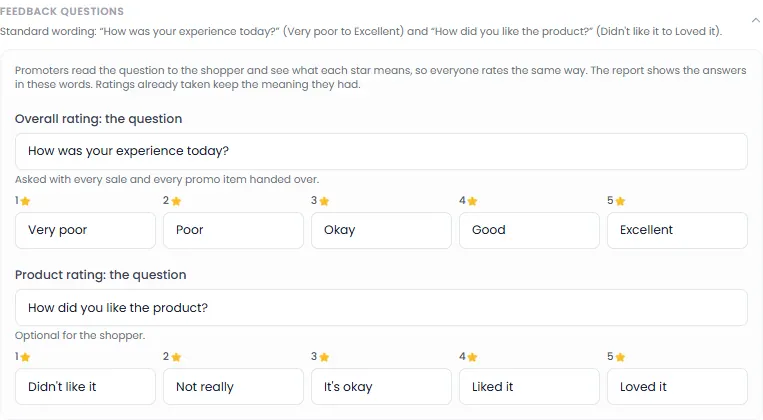
This is the second half of the activation form. You fill it in when you create an activation, or later with Edit on the activation's page.
Sales products
What promoters sell. For each product:
- Click Add Product.
- Type the Product Name, the Quantity you're bringing, and the Unit Price.
- Optional: type a Promo Price. Promoters then sell at it automatically. It must be lower than the unit price.
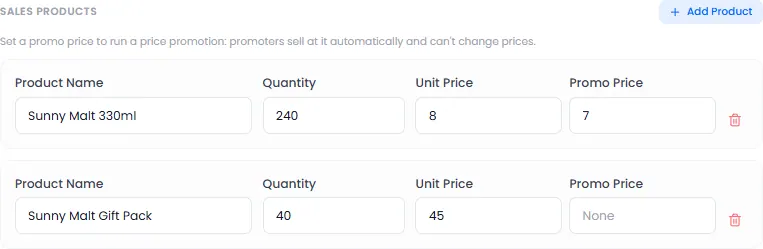
Promoters can't change prices. The quantity is the stock they sell from. When it runs out, the product shows as sold out.
Promo items
What's given away free. For each item:
- Click Add Prize Item.
- Type the Item Name and Quantity.
Choose its Type:
- Product sample: a free product to try;
- Brand merchandise: a cap, T-shirt or other branded item;
- Game prize: a prize shoppers can win in a game.
- Optional, for a game prize: set a Daily limit, the most that can be won each day.
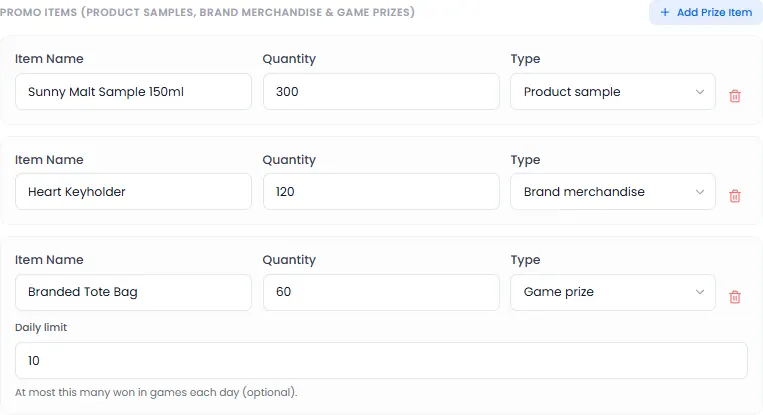
A game needs at least one game prize. See Add a game.
Promo item and prize collection (optional)
The rules for the codes shoppers get. The standard rules suit most activations:
| Setting | Standard |
|---|---|
| Code works for | 24 hours after it's sent |
| Wrong codes allowed | 5 tries, then the code locks until the promoter resends it |
| Code resends allowed | 3. Each resend is another SMS |
| Game prize claim window | 24 hours after the win |
| Time to answer Trivia | 10 minutes |
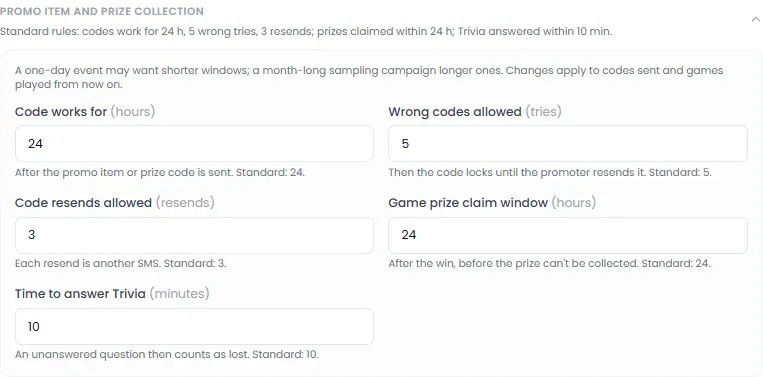
A one-day event may want shorter times; a month-long sampling campaign, longer ones. Changes apply to codes sent from then on.
Feedback questions (optional)
Promoters ask two questions with every sale and promo item, and the shopper answers with 1 to 5 stars:
- Overall rating: "How was your experience today?";
- Product rating (optional for the shopper): "How did you like the product?".
You can change the wording of each question, and what each star means. Promoters read them out, so everyone rates the same way.