
An activation is one event or promotion on the ground, such as a weekend of tastings at Accra Mall. Promoters record everything against it.
The form is long, so this page covers the first half. The second half (products, promo items and their rules) is on Add products and promo items.
Before you start: create the campaign, and add your promoters.
Basic information, dates and status
- In the menu, click Activations, then Add Activation.
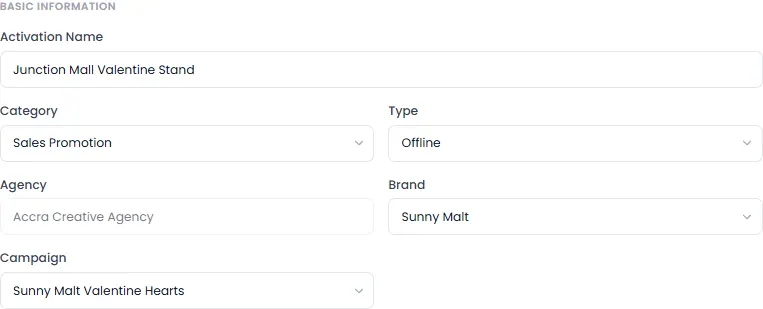
- Type the Activation Name.
Choose its Category and Type:
- Category: Sales Promotion, Product Sampling, Event Activation or Social Media Activation.
- Type: Offline, Online or Kiosk.
- Choose the Brand, then the Campaign.
- Choose the Start Date and End Date. They must be within the campaign's dates, which are shown under the dates.
- Choose the Status. Leave it on Draft while you're setting it up. See What each status means.
Locations
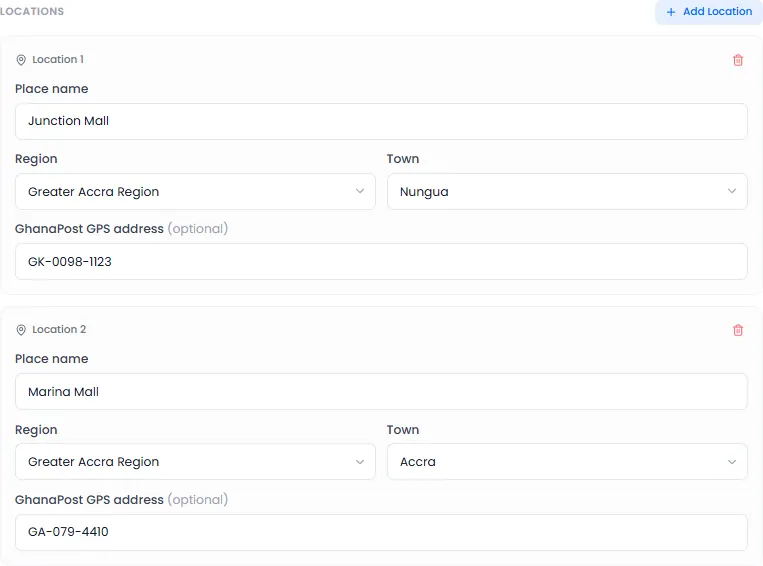
- Under Locations, type the Place name, and choose the Region and Town. The GhanaPost GPS address is optional.
- If the activation runs in more than one place, click Add Location for each one. Promoters choose which one they're at each day.
Targets
- Set the targets the reports measure against. Which ones you see depends on the category. For example, a sales promotion has a People Reached Target and a Revenue Target.
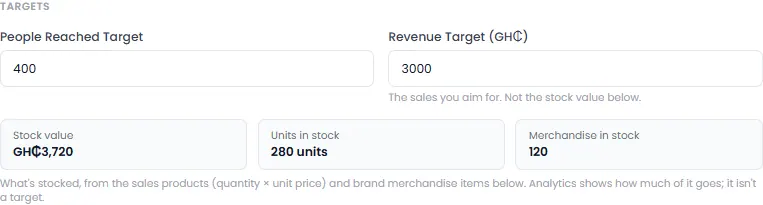
The revenue target is the sales you aim for. It isn't the value of the stock you bring.
Promoters
- Under Promoters, click Add Promoter and choose one. Repeat for each promoter.

A promoter can't be on two activations with overlapping dates.
Finish
- Fill in the rest of the form. See Add products and promo items.
- Click Add Activation.
If something is missing, it's shown in red on that field.
What each status means
| Status | What it means |
|---|---|
| Draft | Still being set up. Promoters see it as Not launched yet and can't record anything. It doesn't count towards your plan's limit |
| Active | It runs between its start and end dates. Promoters can work on it from the start date |
| Inactive | Paused. Promoters see it, but can't record anything until it's Active again |
| Completed | Over. Its promoters are free for other activations |
| Cancelled | Called off |