
Your dashboard is the first page you see when you sign in. It shows how your work is going, and what needs your attention.
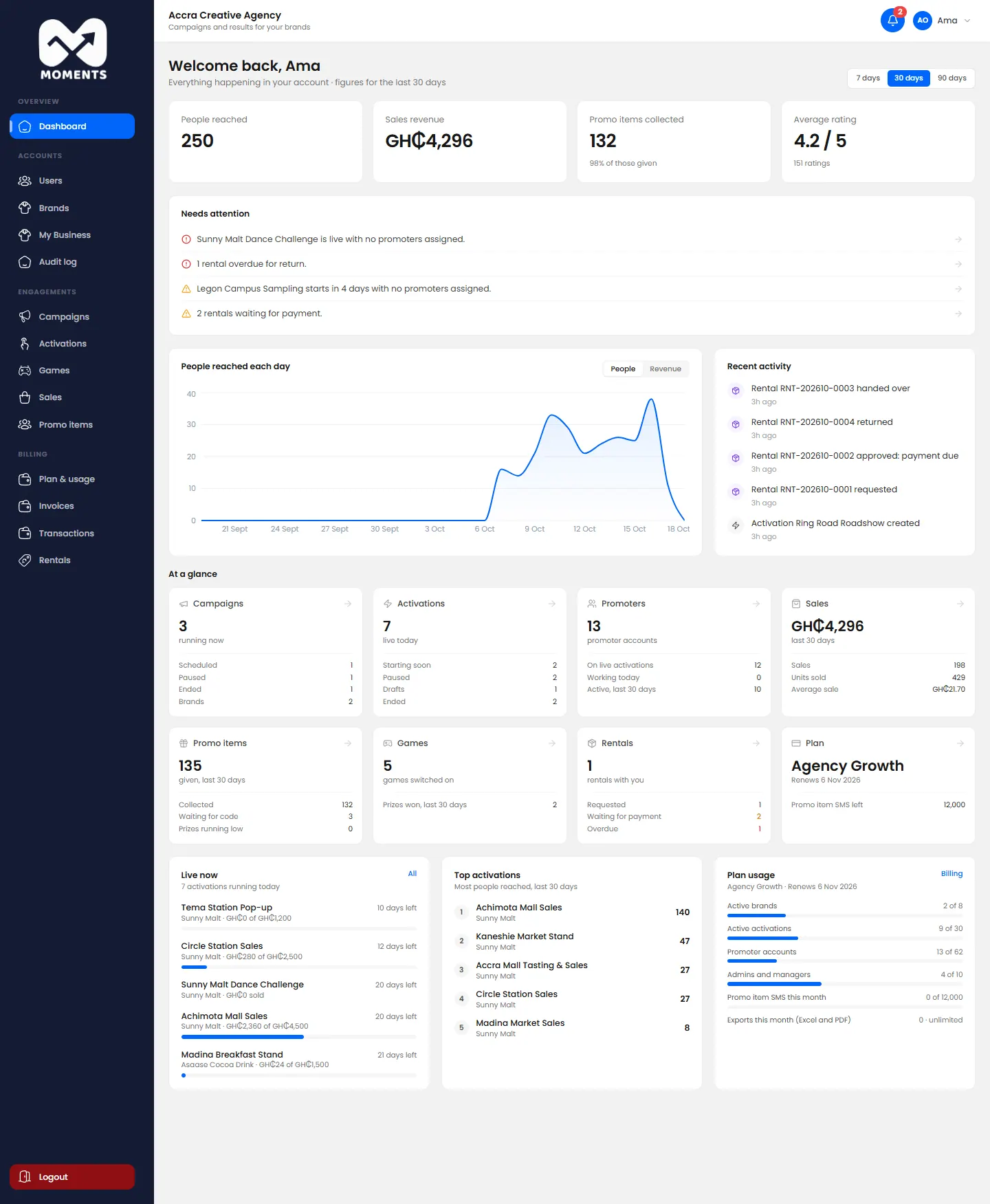
What's on it
The four totals at the top:
- People reached;
- Sales revenue;
- Promo items collected;
- Average rating.
- Needs attention: problems to fix, such as a live activation with no promoters, or a rental overdue for return. Click one to go straight to it.
- People reached each day: a chart. Switch it to Revenue to see sales instead.
- Recent activity: the latest changes in your account.
- At a glance: campaigns, activations, promoters, sales, promo items, games, rentals and your plan. Click a card to open that list.
- Live now: activations running today, with their sales against target.
- Top activations: the ones that reached the most people.
- Plan usage: how much of your plan you've used. Admins only.
Change the time period
Click 7 days, 30 days or 90 days at the top right. The figures and charts change to match.
Managers
Managers see the same dashboard, without the plan and billing parts. See Who can do what.