
An activation's games are on its Games tab. To see every game in all your activations, click Games in the menu.
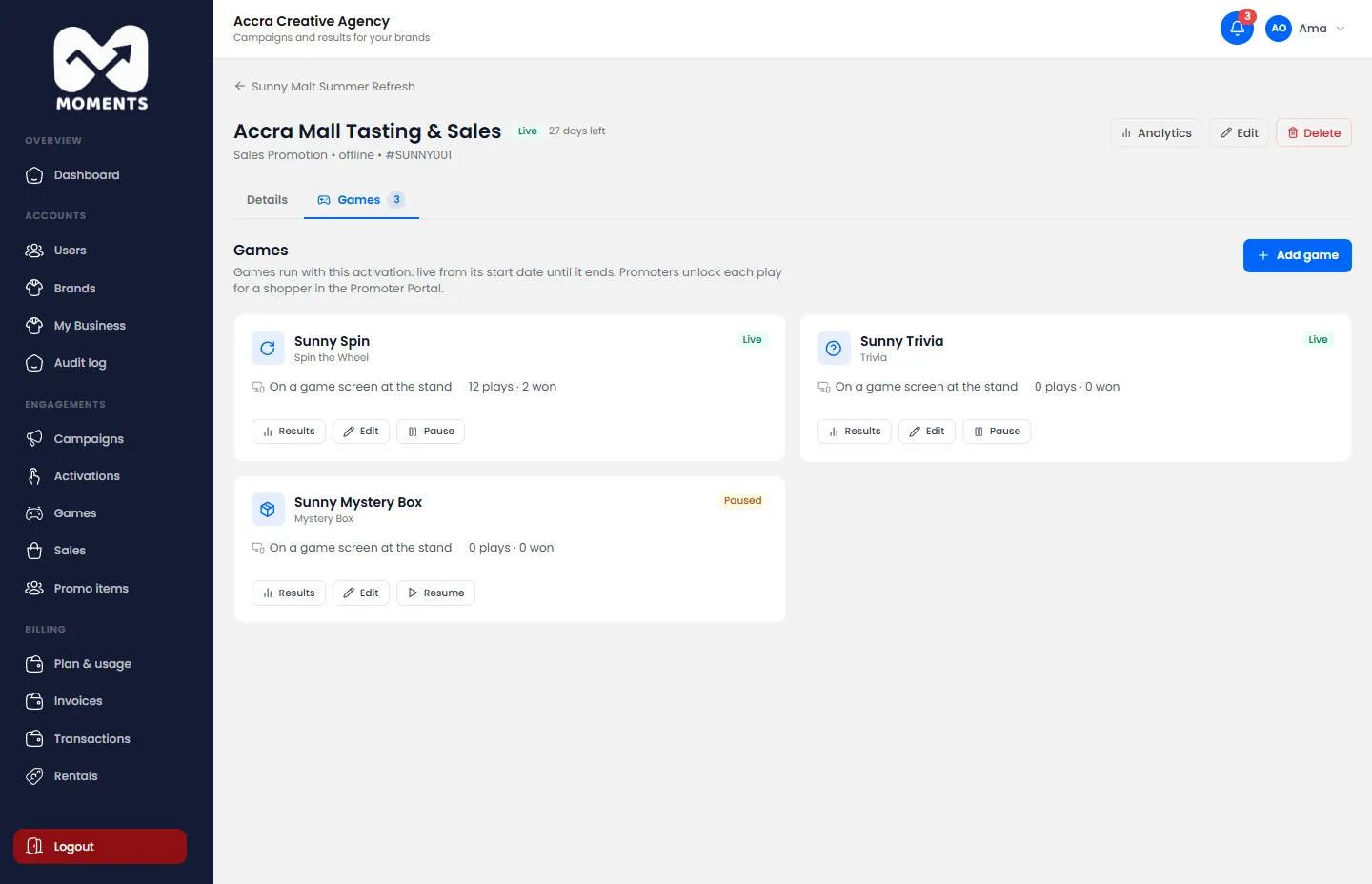
See how a game is doing
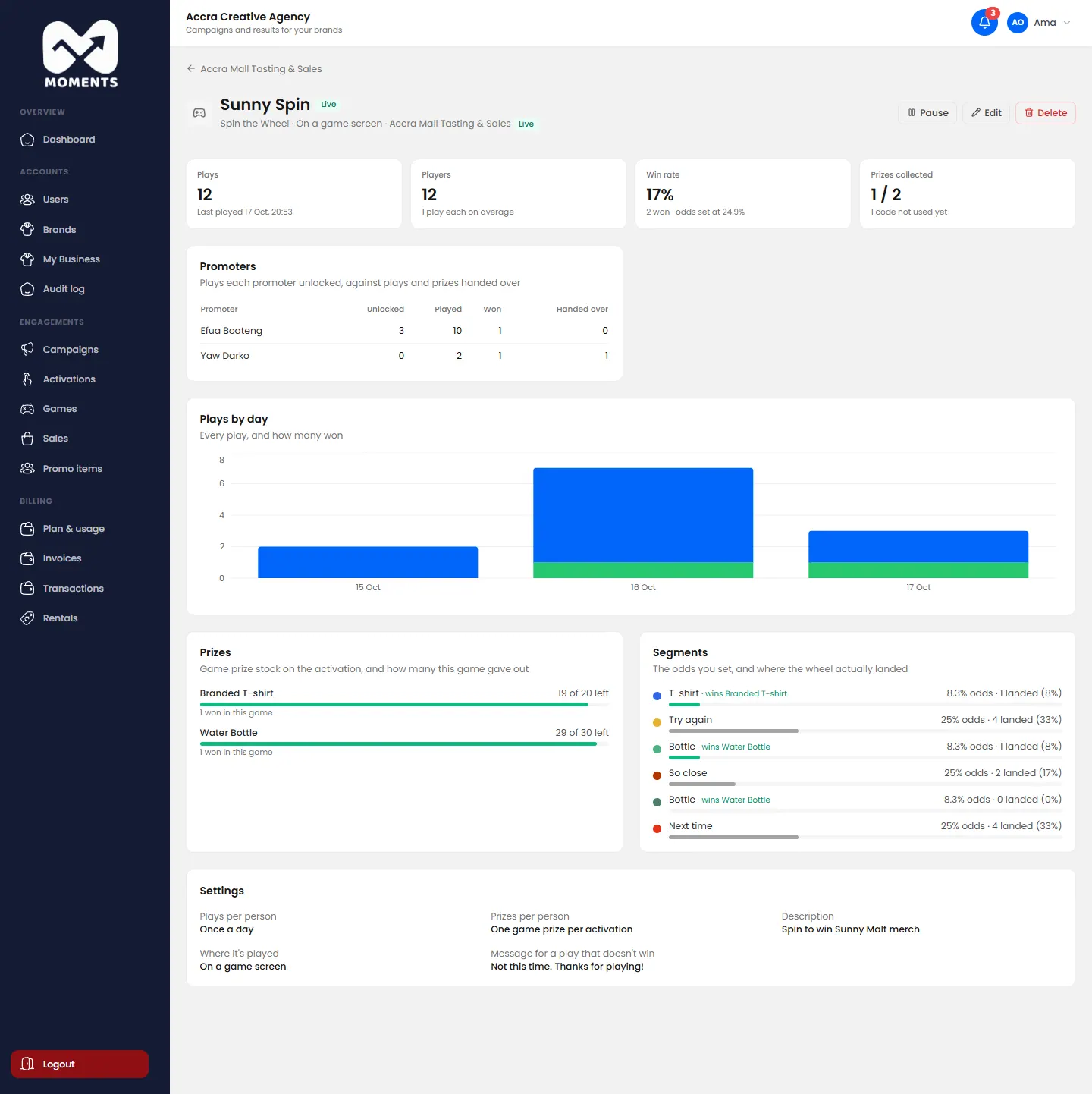
Click the game to open its results:
- Plays, Players, Win rate and Prizes collected;
- what each promoter unlocked, and the prizes they handed over;
- plays by day;
- the prizes, and how many are left;
- for Spin the Wheel, the odds you set against where the wheel actually landed. For Mystery Box, the same for what was in the boxes. For Trivia, how often each question was asked and answered right.
Pause or resume it
On the Games tab, or the game's page, click Pause. Promoters can't unlock it until you click Resume. On the game screen, shoppers see that the game has been switched off.
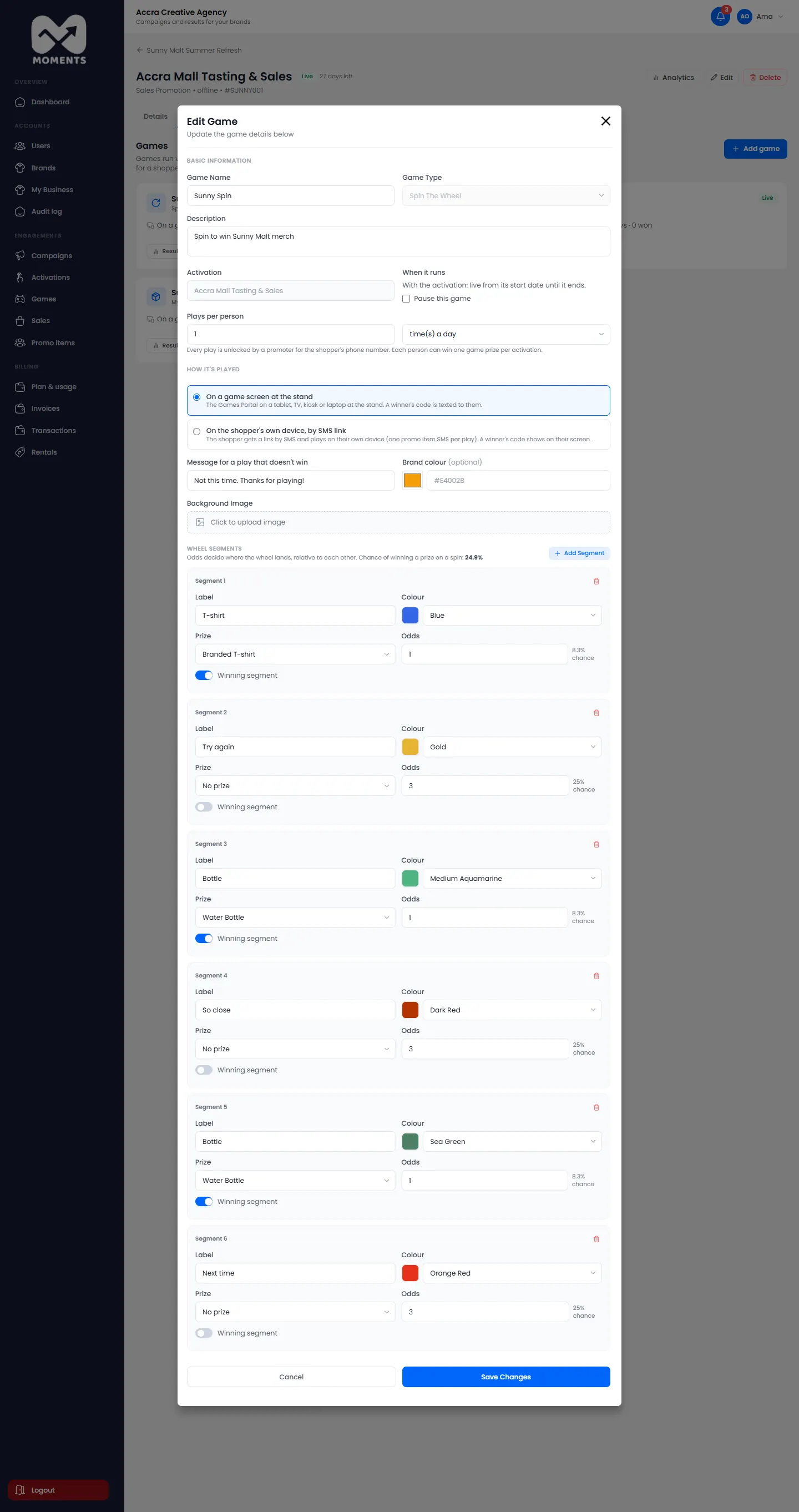
Edit it
On the Games tab, open the game's edit form. Change its prizes, odds, questions or plays per person, and click Save Changes.
Delete it
You can delete a game only before anyone has played it. After that, it can only be paused, so its results stay in the reports.