
You can hire equipment for your activations from Moments Analytics, such as canopy tents, branded tables, sampling coolers and speakers.
Request a rental
- In the menu, click Rentals, then New Request.
- Choose the Start date and Return date.
- Under Equipment, use − and + to choose how many of each item. You can see how many are free for your dates.
- Optional: add Notes, such as the delivery location or the activation.
- Click Submit Request.
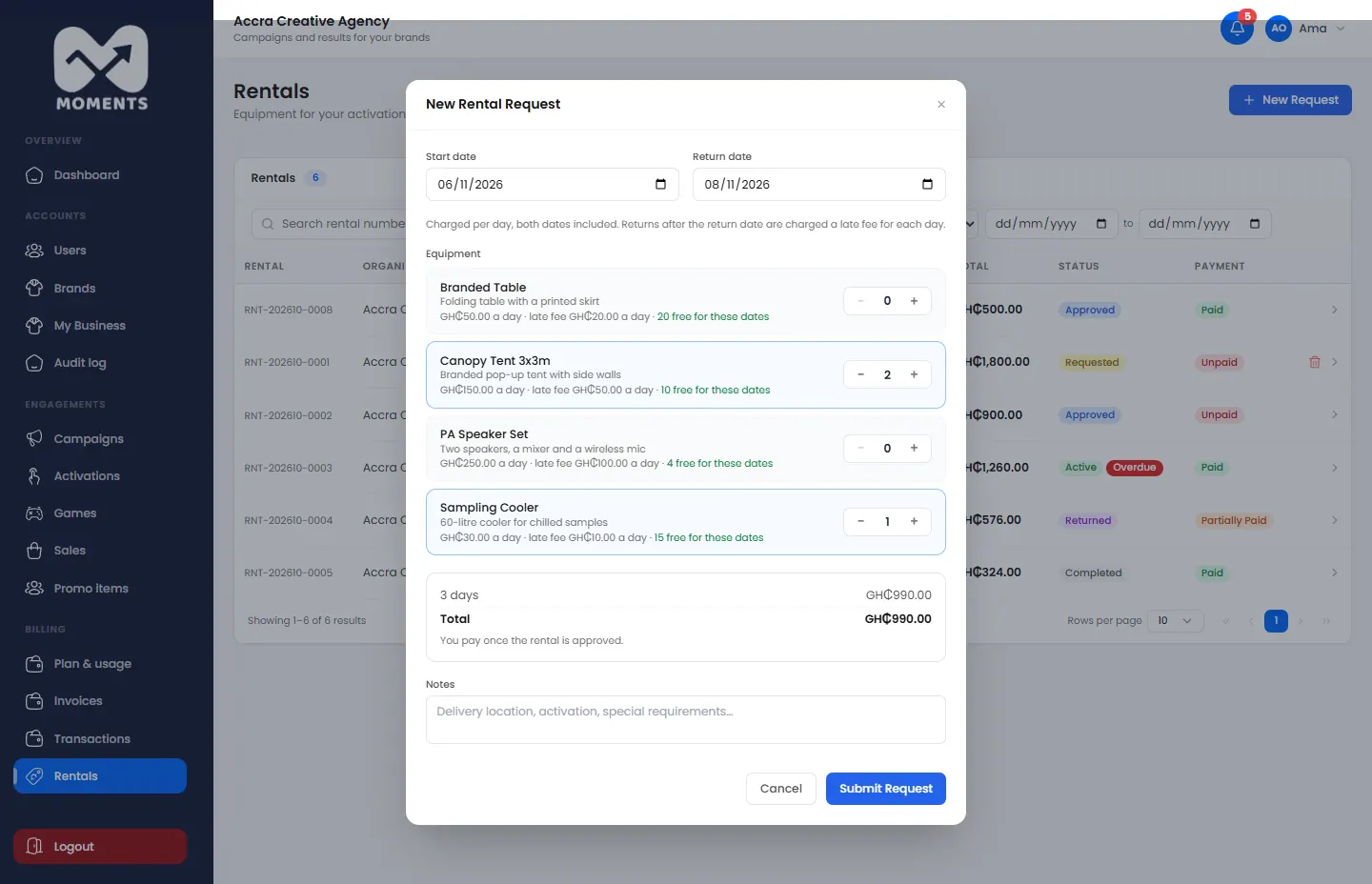
You're charged per day, with both dates included. You pay only once the rental is approved.
Pay for it
When the Moments Analytics team approves your request, you get an email. The equipment is reserved for your dates.
- In Rentals, open the rental.
- Click Pay … by card or Mobile Money, and pay.
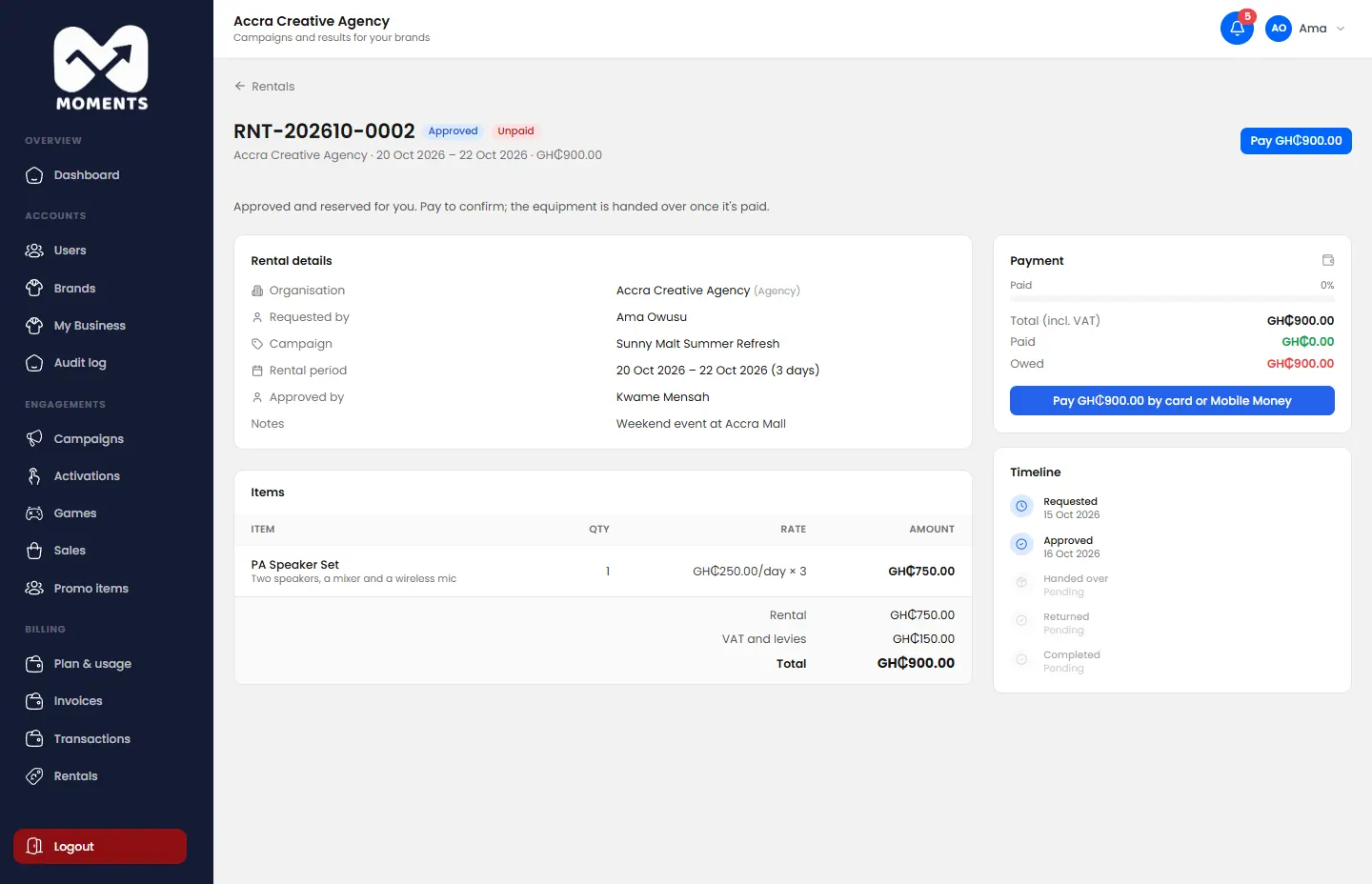
The equipment is handed over once it's paid. The Timeline on the rental shows each step: requested, approved, handed over, returned and completed.
Return it
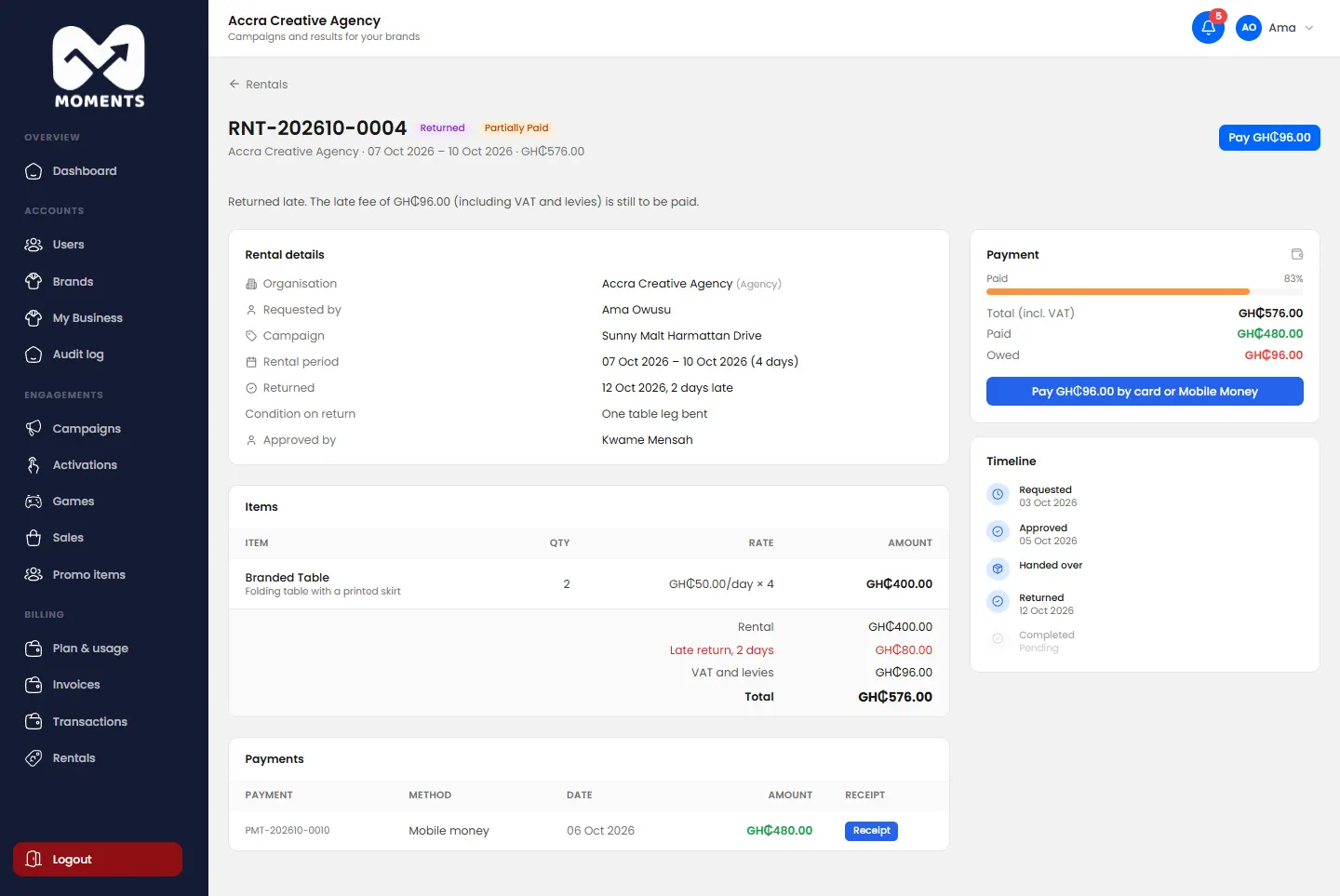
Return the equipment by the return date. Returns after it are charged a late fee for each day. If there's a late fee, it shows on the rental, with a button to pay it.
Withdraw a request
Changed your mind before it's approved? Open the rental and click Withdraw request. You can request again any time.