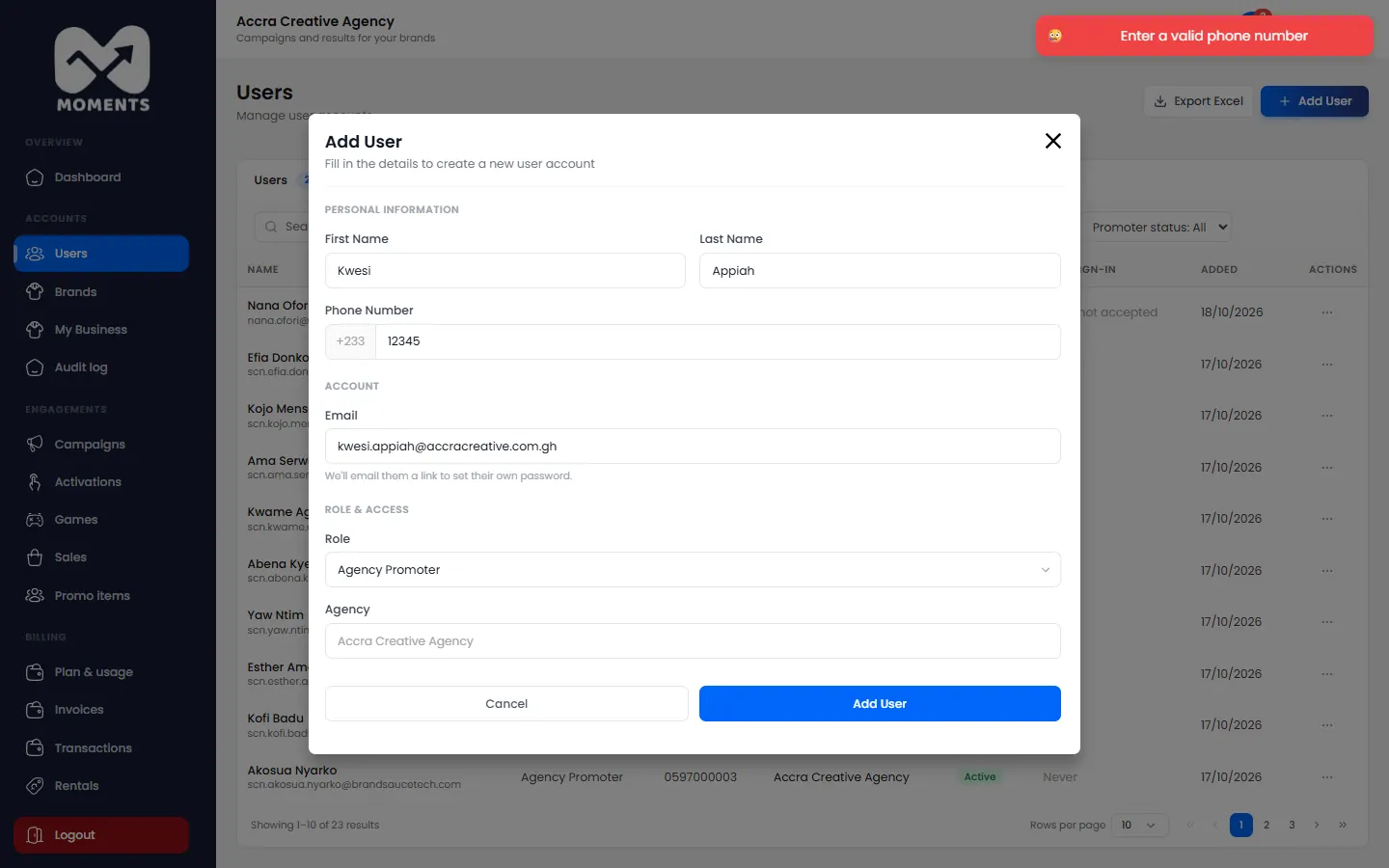
Only admins can add people. Choose the role that matches what they'll do. See Who can do what.
| Role | What they do | How they sign in |
|---|---|---|
| Agency Admin | Everything, including billing and users | Email and password |
| Agency Manager | Run campaigns, activations and games | Email and password |
| Agency Promoter | Work at the stand, on their phone | Phone number and an SMS code |
| Brand Viewer | The client: sees one brand's reports | Email and password |
Steps
- In the menu, click Users, then Add User.
- Type their First Name and Last Name.
- Type their Phone Number. It's optional for everyone except promoters, who sign in with it.
- Type their Email.
- Choose their Role.
- For a brand viewer, choose the Brand they can see.
Click Add User.
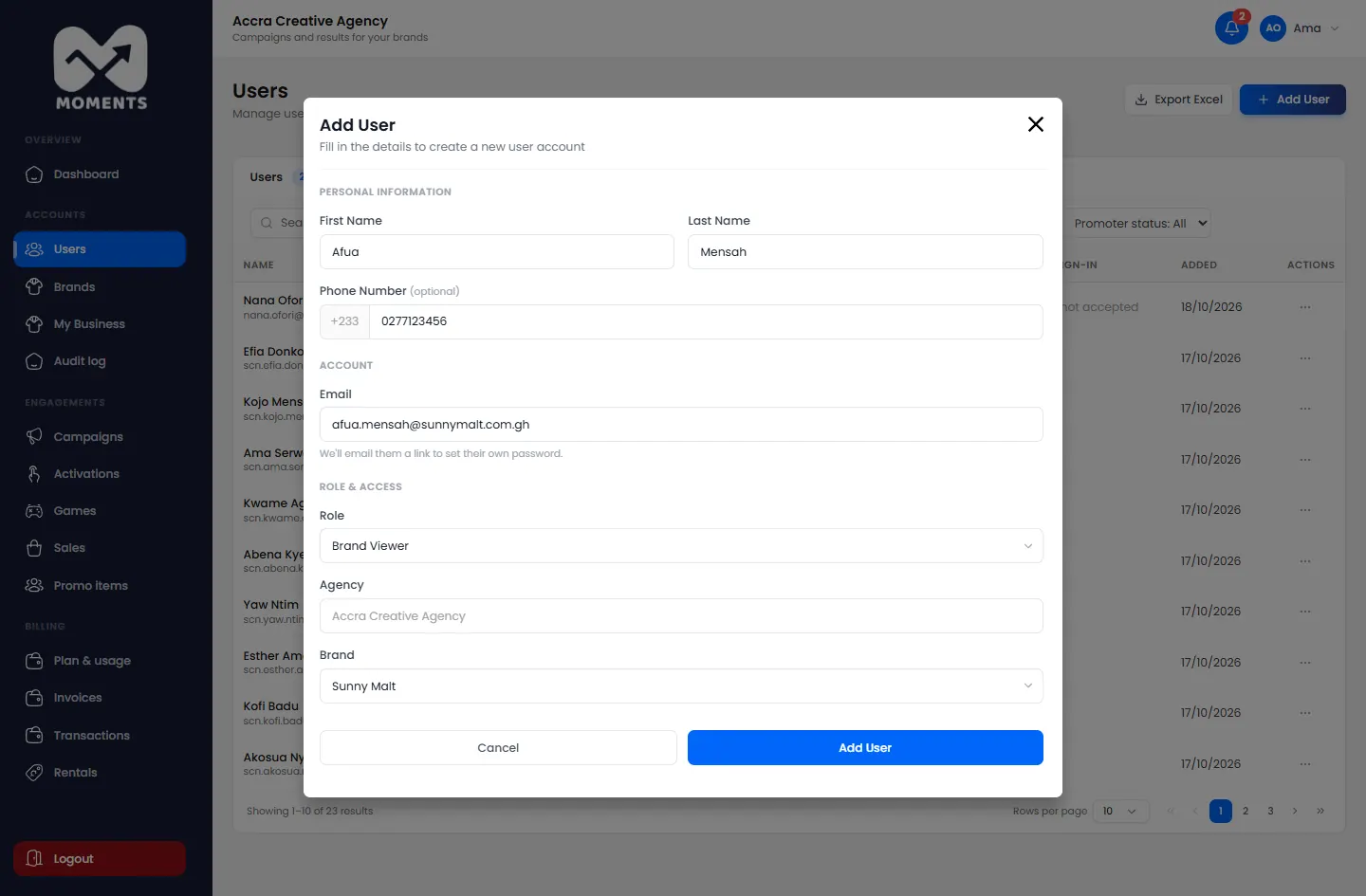
Adding a brand viewer: someone from one of the agency's brands
What happens next
- Admins, managers and brand viewers get an email with a link to set their password. It works for 72 hours. See Set your password from an invitation.
- Promoters can sign in straight away at promoters.momentsanalytics.com with their phone number. To get to work, they need to be on an activation. See Create an activation.
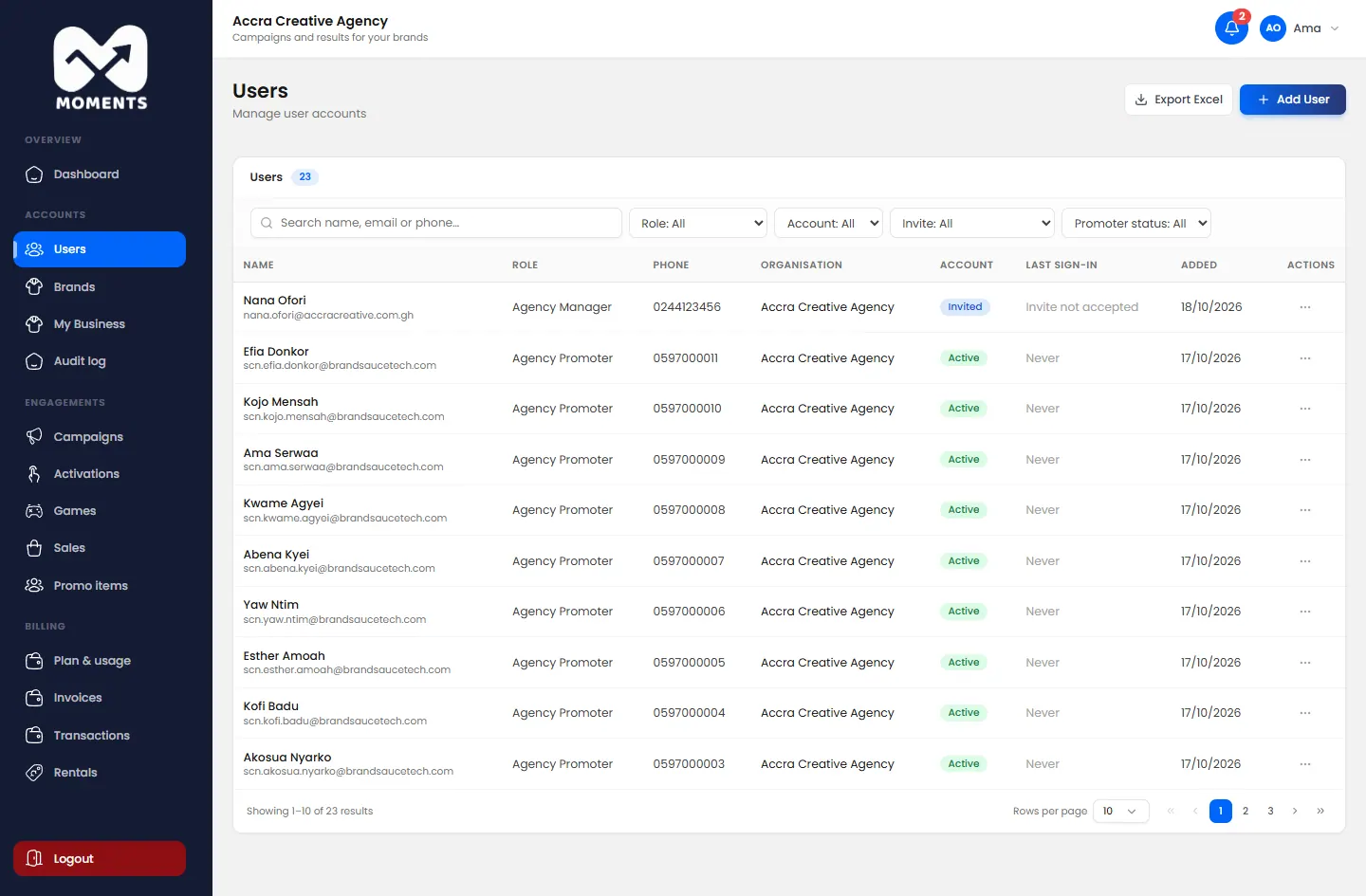
How many users you can have depends on your plan.
If it doesn't work
- "Promoters need a phone number: they sign in with it": type the promoter's phone number.
- A phone number that isn't valid: type all 10 digits, starting with 0.