
Your plan sets how many brands, campaigns, activations and users you can have, and which features you get. When you reach a limit, the message tells you what it is and how to raise it.
"Your … plan allows up to …"
For example: During the trial you can have up to 2 active activations (you have 2).
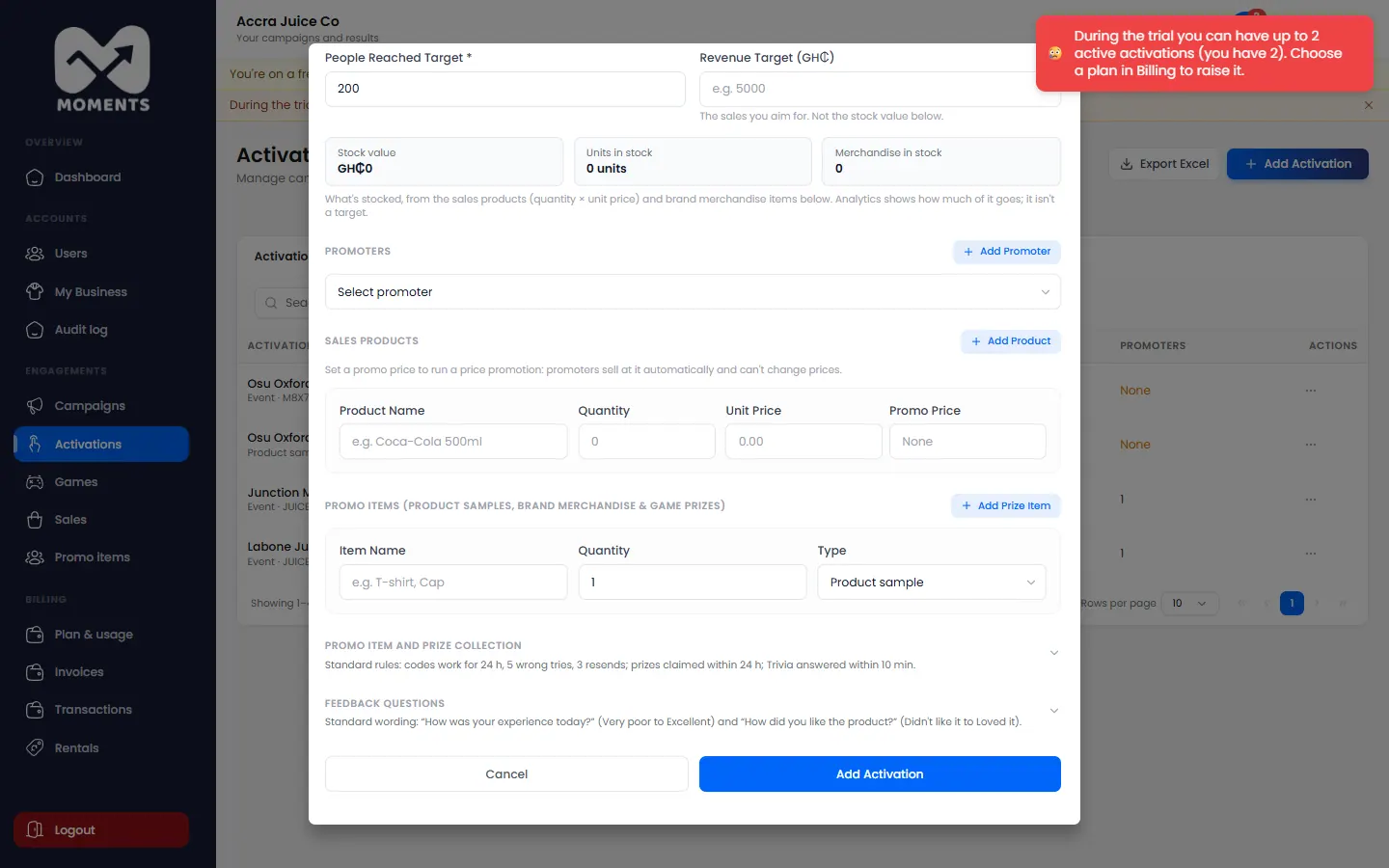
What you already have keeps working. To add more:
- Admins: buy an add-on, or upgrade your plan. See Buy add-ons and SMS and Choose or change your plan. During the trial, choose a plan.
- Managers: ask your admin.
- Or free one up: for example, complete an activation that's finished. Draft activations don't count.
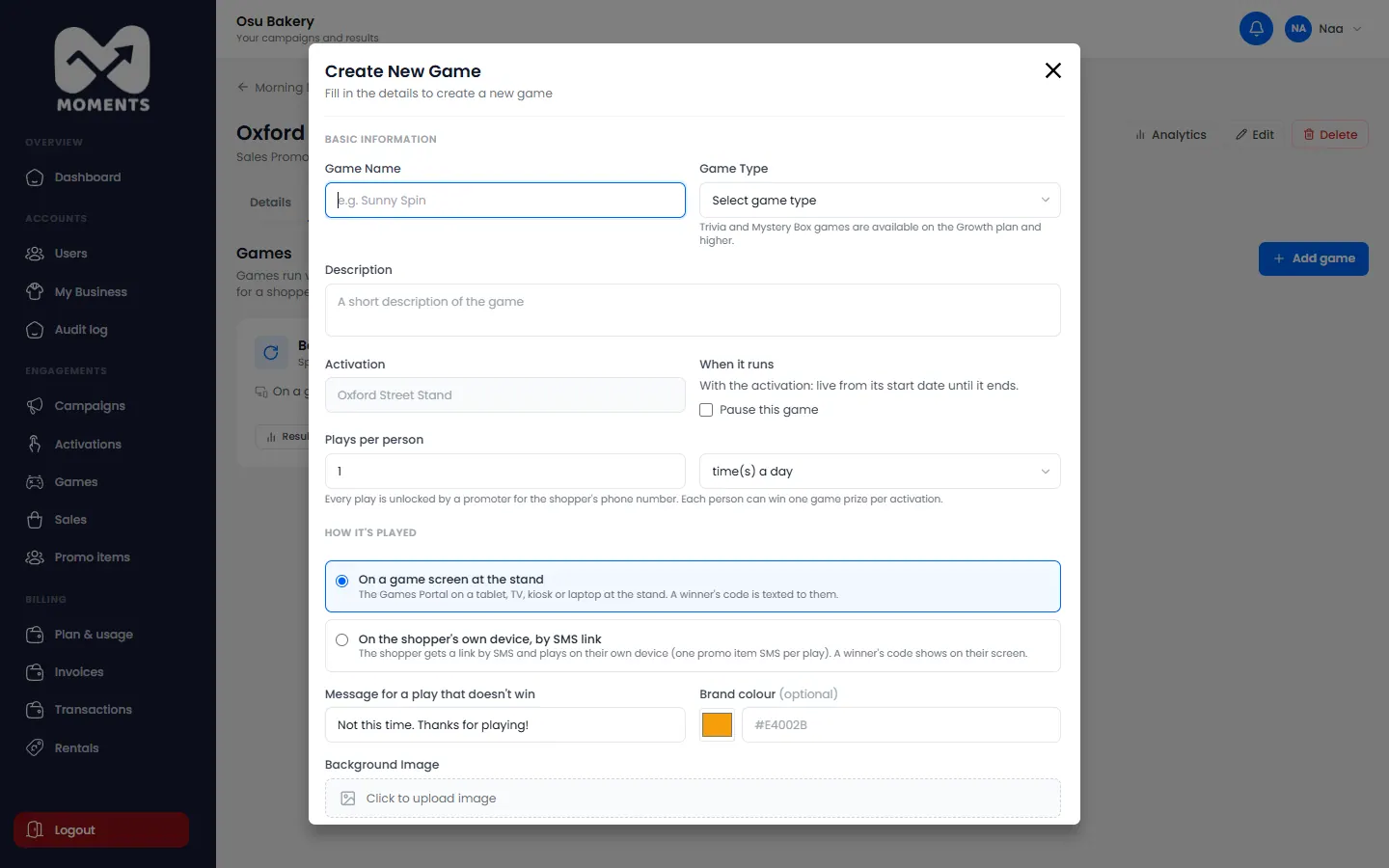
Trivia and Mystery Box need the Growth plan
On the Starter plan, you can add Spin the Wheel only. Trivia and Mystery Box games come with the Growth plan and higher.
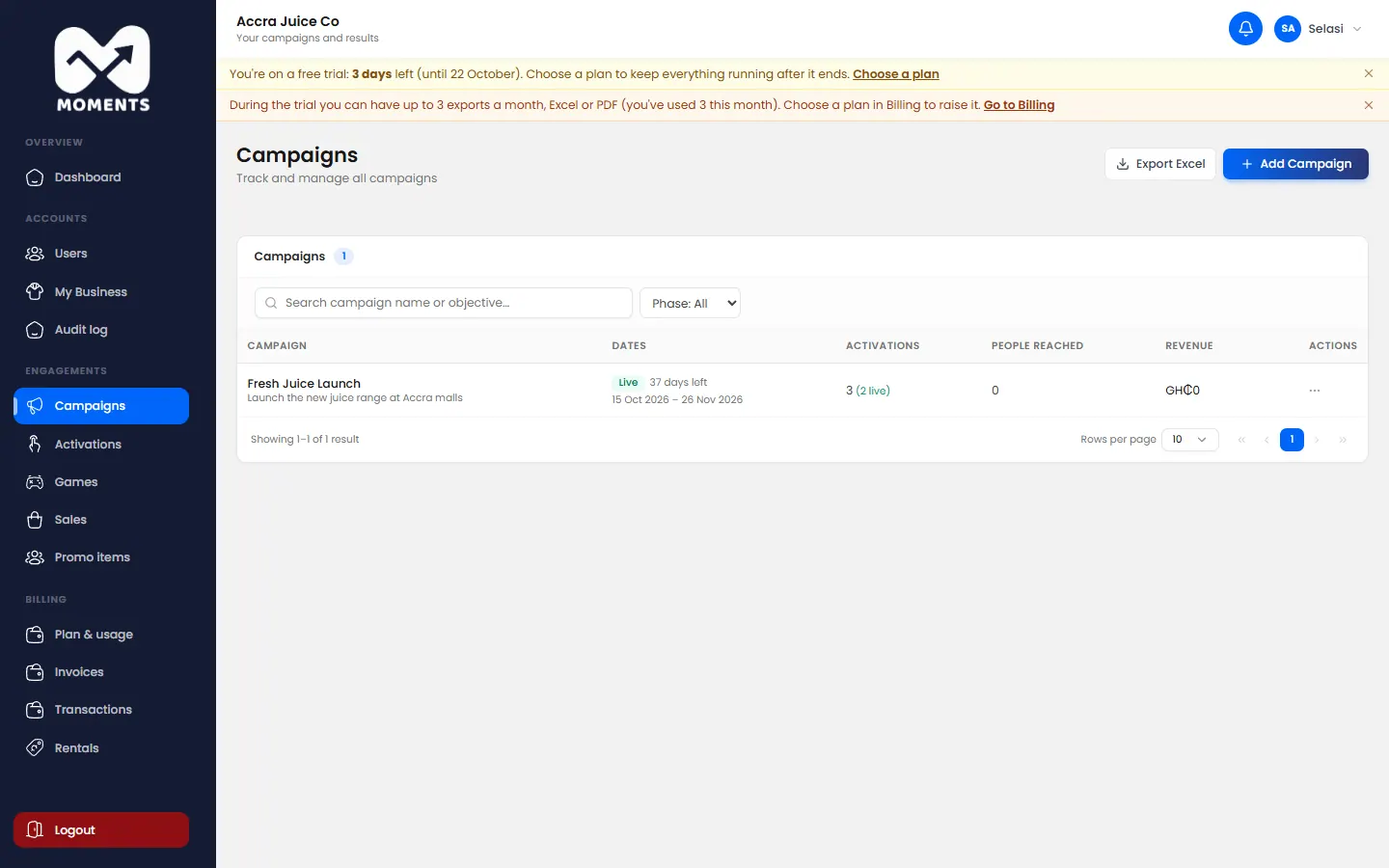
The monthly export limit
Each Excel export and report PDF counts as one export. When you've used this month's allowance, you can export again next month, or upgrade your plan.
Enterprise plans
Your limits were agreed with the Moments Analytics team. Contact them to change them, at support@momentsanalytics.com.