
The audit log records changes to your organisation's accounts, and security events. For example:
- someone was added, suspended or changed role;
- a password was changed or reset;
- someone was locked out after wrong passwords;
- a campaign or activation was deleted;
- a payment was made, or the plan changed.
In the menu, click Audit log. Only admins can open it.
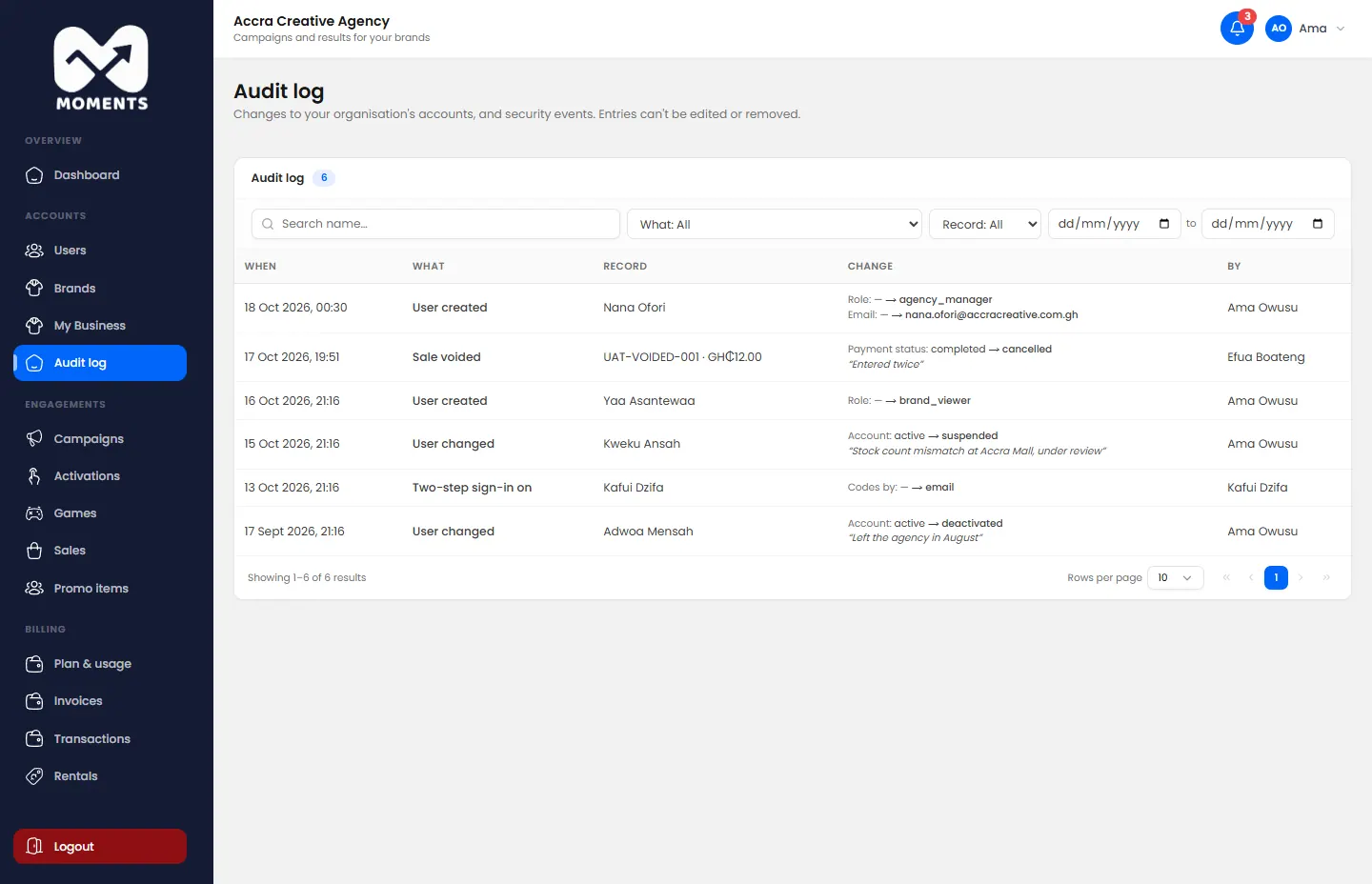
Each entry shows what changed, who did it and when. Filter by type of change, person or date to find what you need.
How far back the audit log goes depends on your plan.