
Games give shoppers a reason to stop at your stand. Every play is unlocked by a promoter for one shopper's phone number, and the server decides the result.
| Game | How it works | Plan |
|---|---|---|
| Spin the Wheel | A branded wheel with prizes and odds you set | Every plan |
| Trivia | Questions about the brand. A right answer wins a prize | Growth and higher |
| Mystery Box | Shoppers pick a gift box, on screen or a real NFC box | Growth and higher |
Before you start: the activation needs at least one promo item of type Game prize. See Add products and promo items.
Steps
- Open the activation from Activations, and click the Games tab.
Choose the game to add.
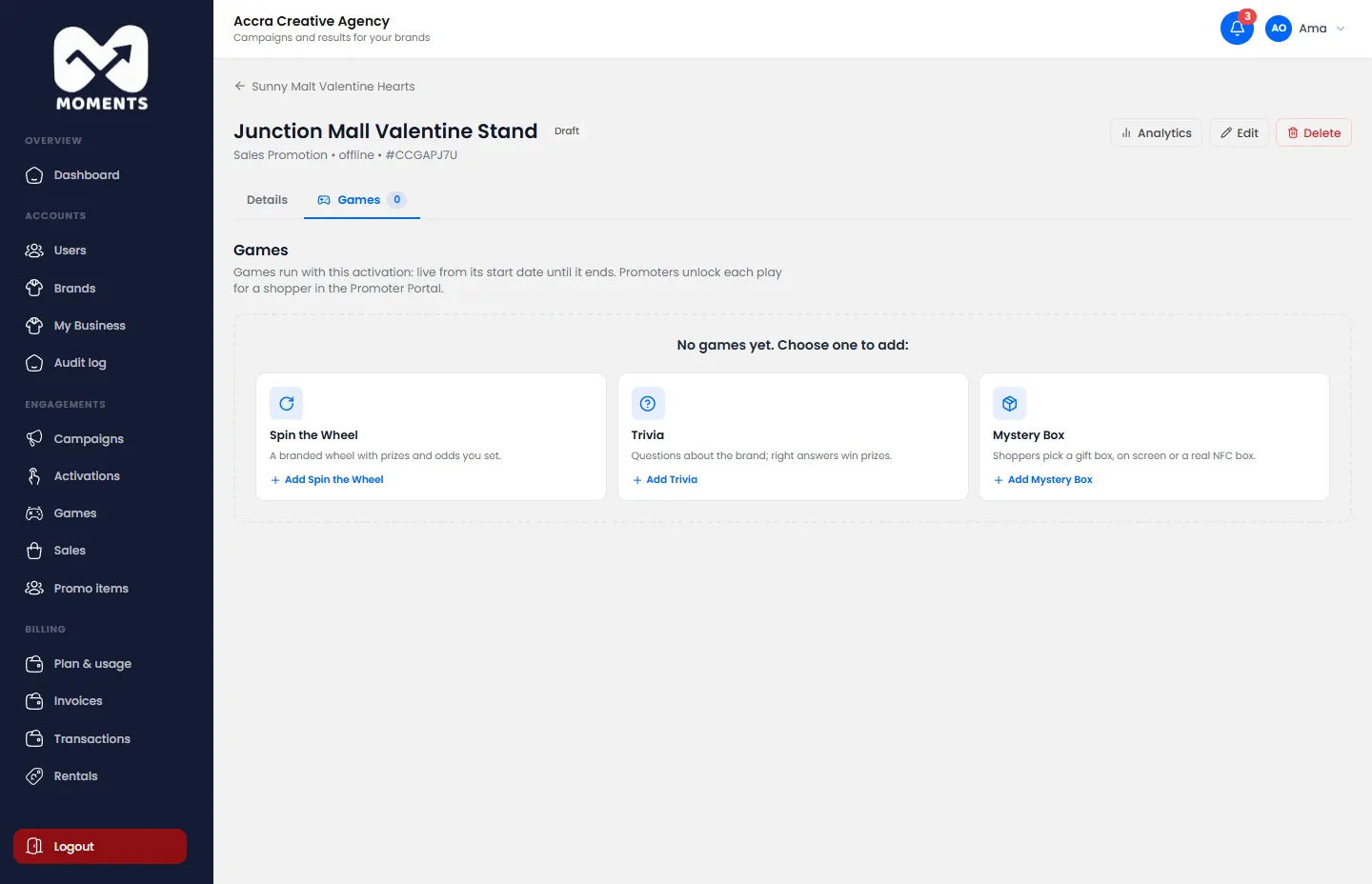
A new activation's Games tab: choose a game to add - Type the Game Name and a Description. Optional: add a background image and the brand colour.
Choose Where the game is played:
- On a game screen at the stand: a tablet, TV, kiosk or laptop. A winner's code is texted to them.
- On the shopper's own device, by SMS link: one promo item SMS per play. A winner's code shows on their screen.
- Physical Mystery Boxes (NFC): for Mystery Box only. The Moments Analytics team assigns the boxes to your game.
- Set Plays per person: how many times a day, or in the whole activation.
- Set up the prizes. See the section for your game below.
- Click Create Game.
Spin the Wheel
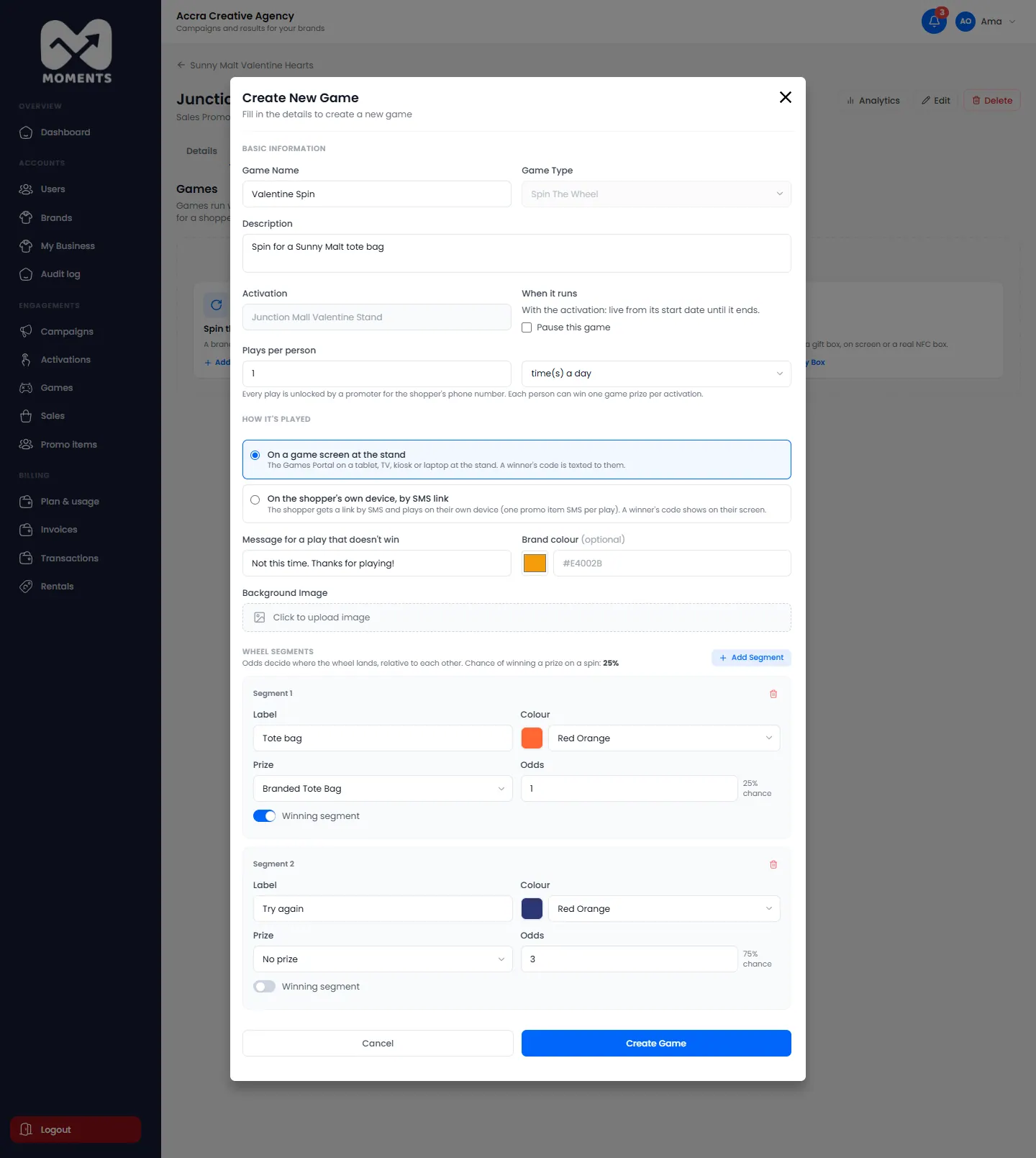
Add at least 2 Wheel Segments. For each one, type a Label, pick a Colour, and set its Odds. Tick Wins a prize and choose the Prize for a winning segment.
Odds are relative to each other. A segment with odds of 2 comes up twice as often as one with odds of 1. Type the Message for a play that doesn't win.
Trivia
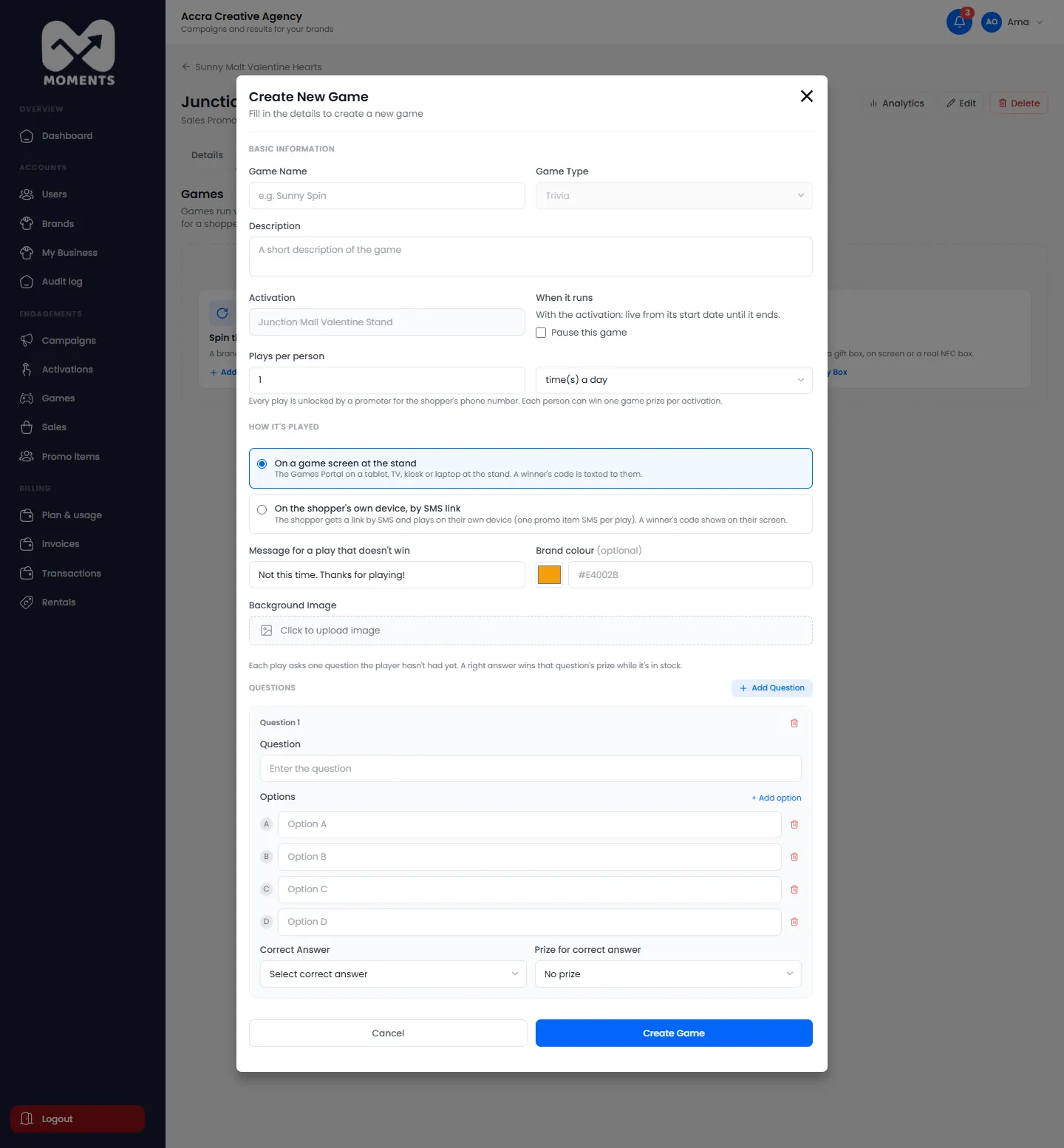
Add your Questions. For each one, type the Options, choose the Correct Answer, and the Prize for correct answer. Each play asks one question the player hasn't had yet.
Mystery Box
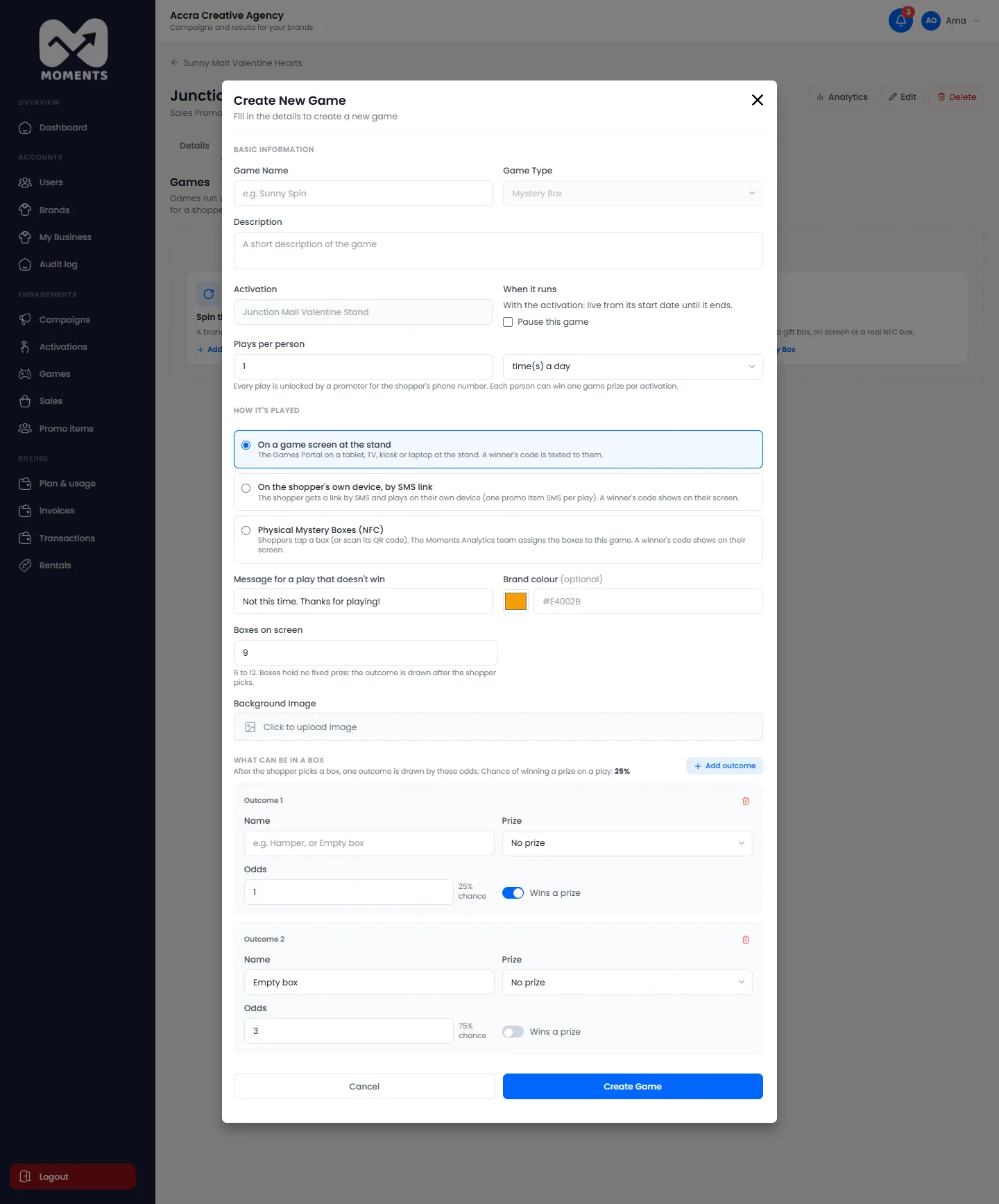
Choose how many Boxes on screen (6 to 12). Then, under What can be in a box, add the outcomes and their odds: a prize, or an empty box. Boxes don't hold a fixed prize. The outcome is drawn after the shopper picks.
What happens next
The game runs with the activation, from its start date until it ends. Promoters see it on Play games in the Promoter Portal.
Each person can win one game prize in each activation.